Healthy
Eligible only when protocol, location, package, pool, and customer policy also match.
A provider is an upstream proxy-supply integration. It combines an adapter, credentials, protocol ports, one or more regional addresses, a location dictionary, and the capabilities routing can use.
Before opening the wizard, collect:
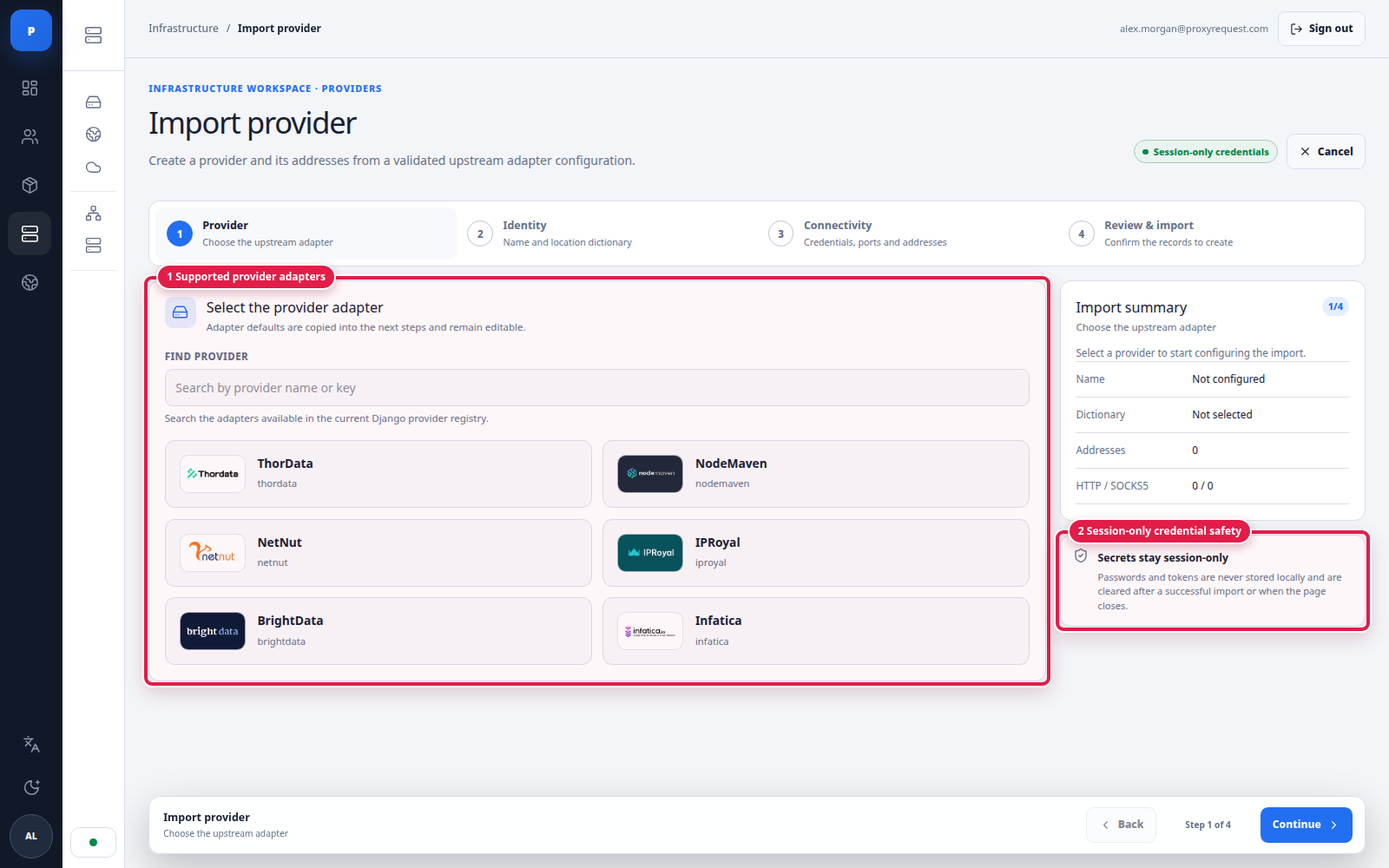
The adapter list is authoritative. Do not import one provider under another adapter because their login syntax looks similar.
 Open full size
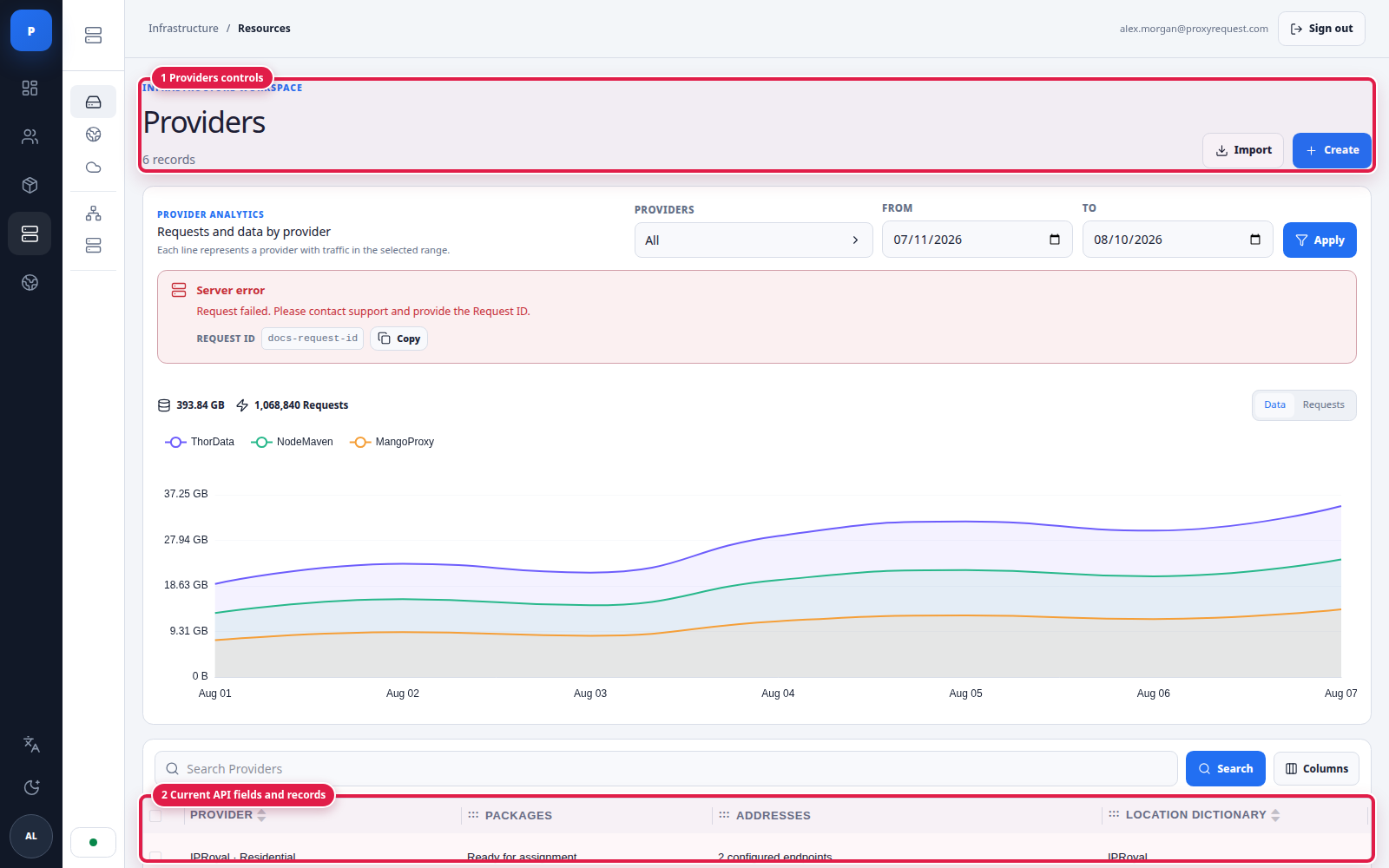
The provider list connects each upstream record to packages, endpoints, and its location dictionary.
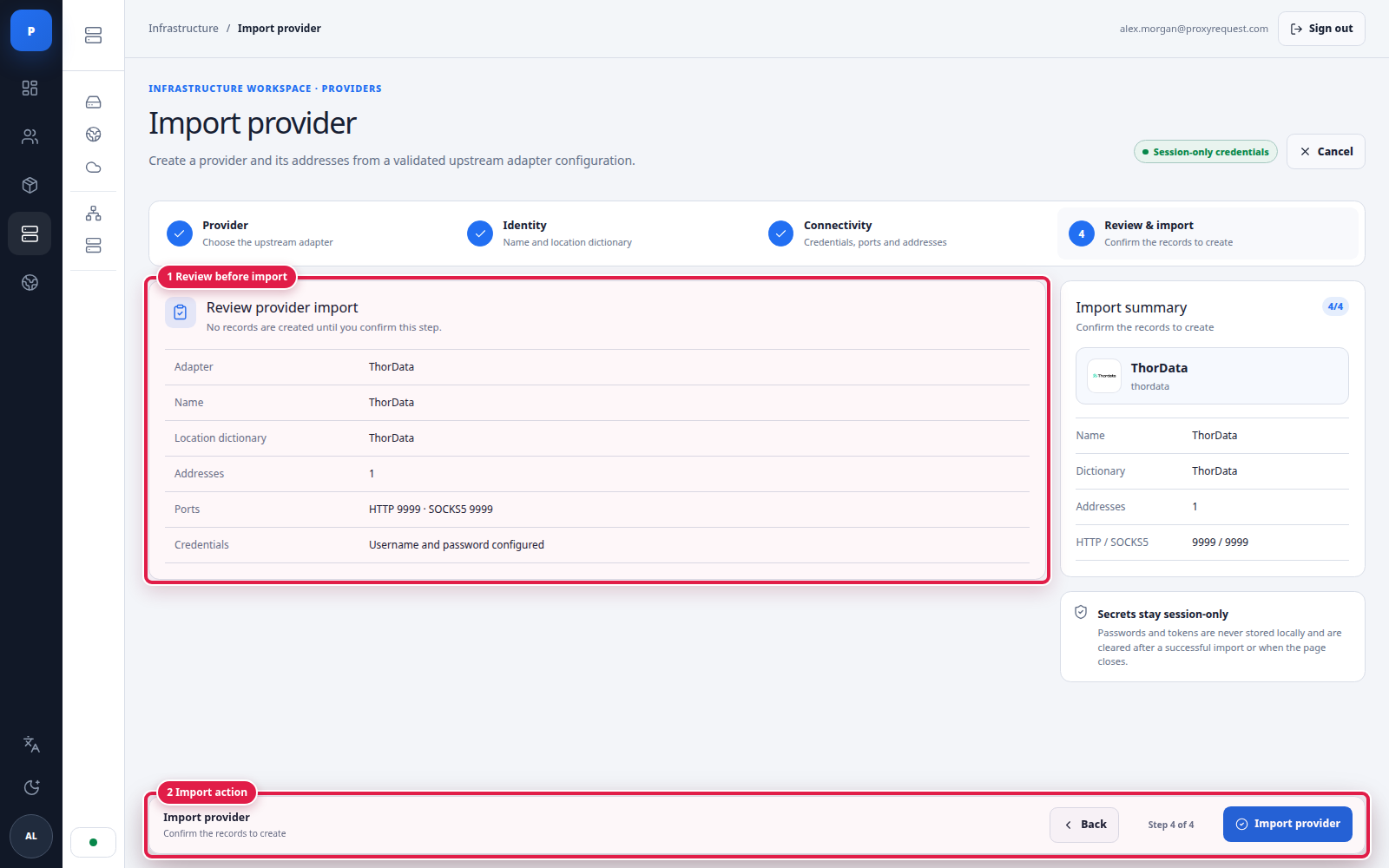
The guided import creates the provider and its endpoint records together. Nothing is written until the final review action.
 Open full size
Step 1 selects the code path that builds the upstream credential grammar.
 Open full size
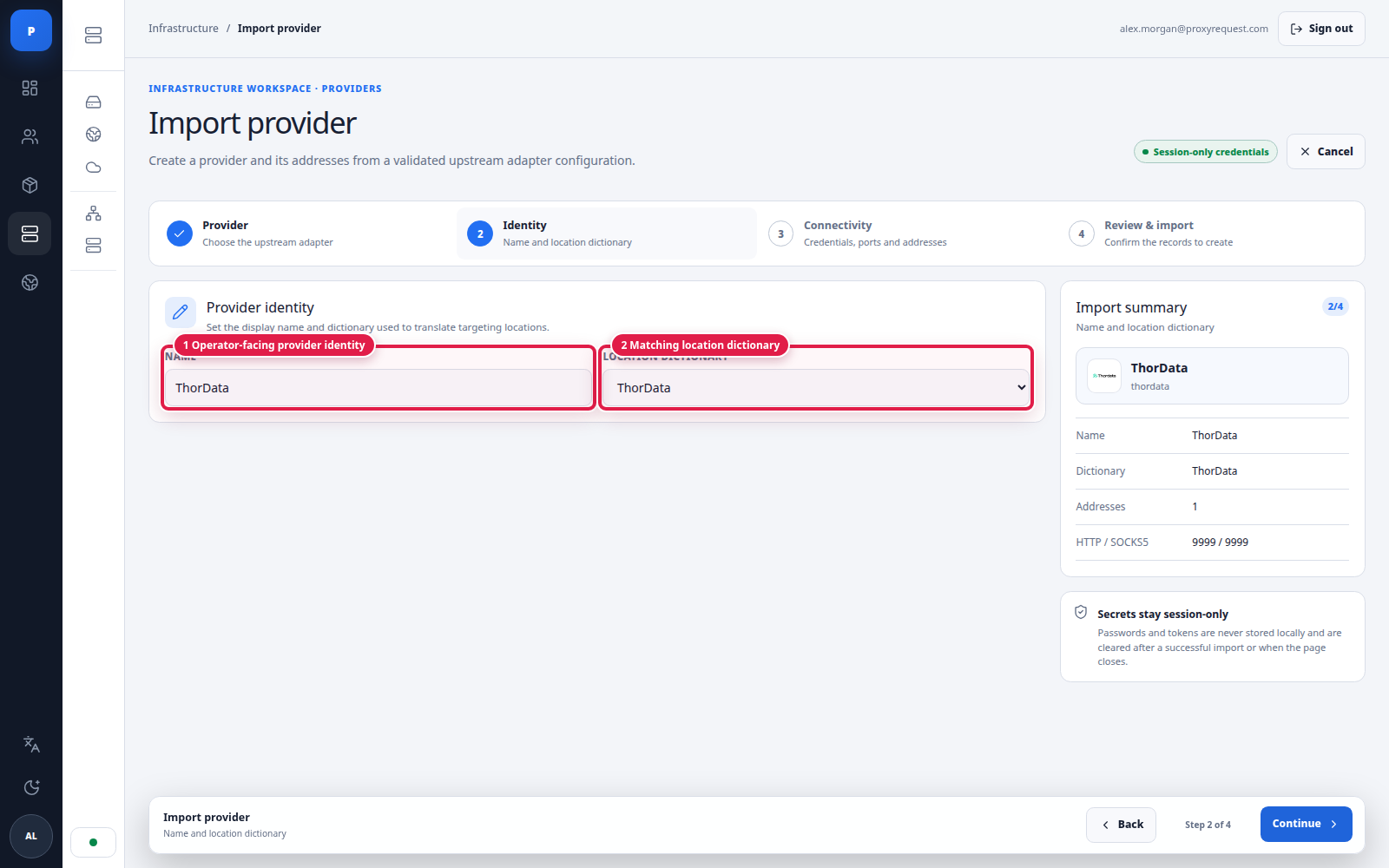
Step 2 gives operators a clear name and binds the correct translation dictionary.
 Open full size
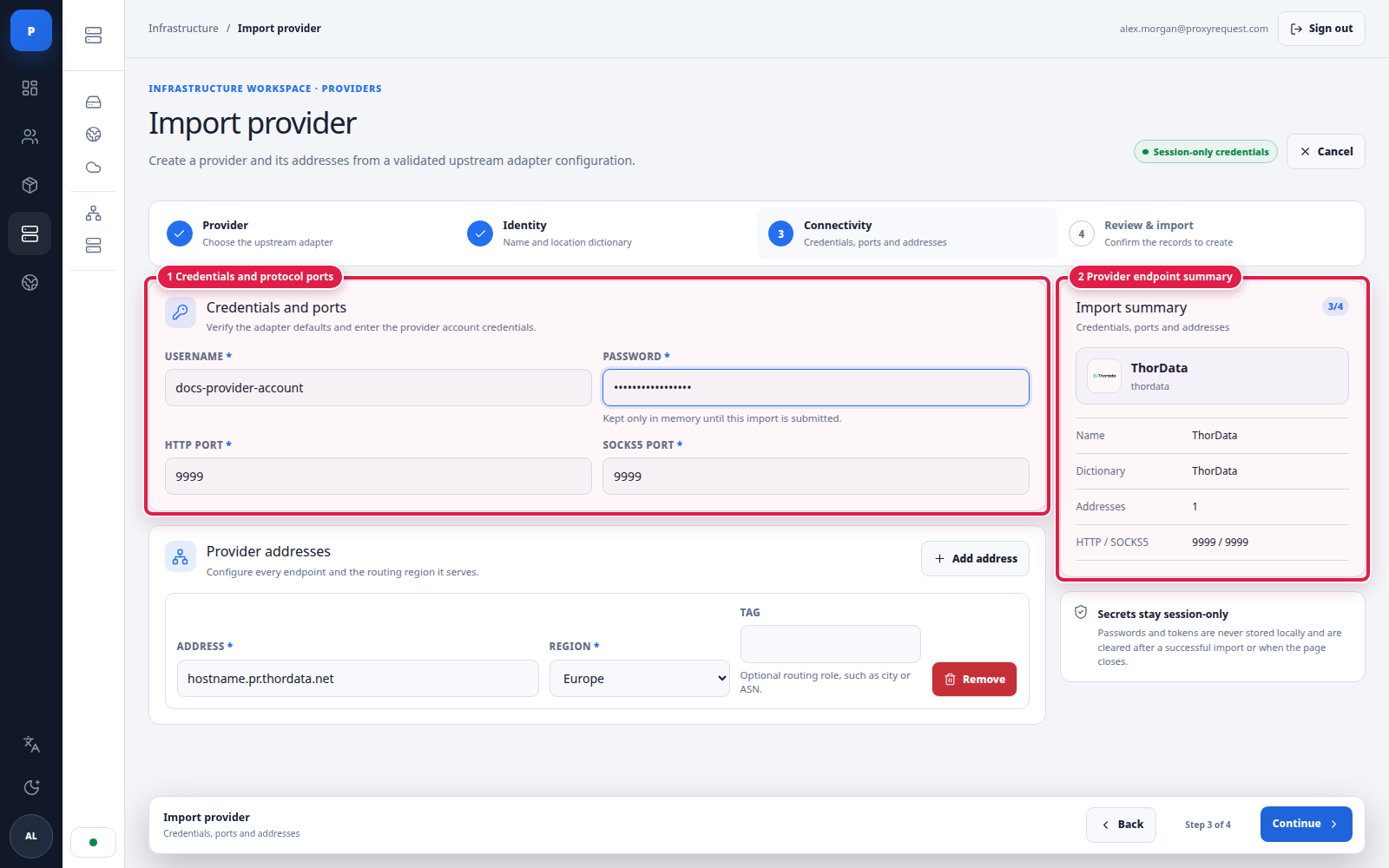
Step 3 configures upstream authentication and the provider-level protocol ports.
Set a protocol port to the provider’s real value. A SOCKS5 port does not by itself prove UDP support; enable and sell UDP only after an end-to-end test.
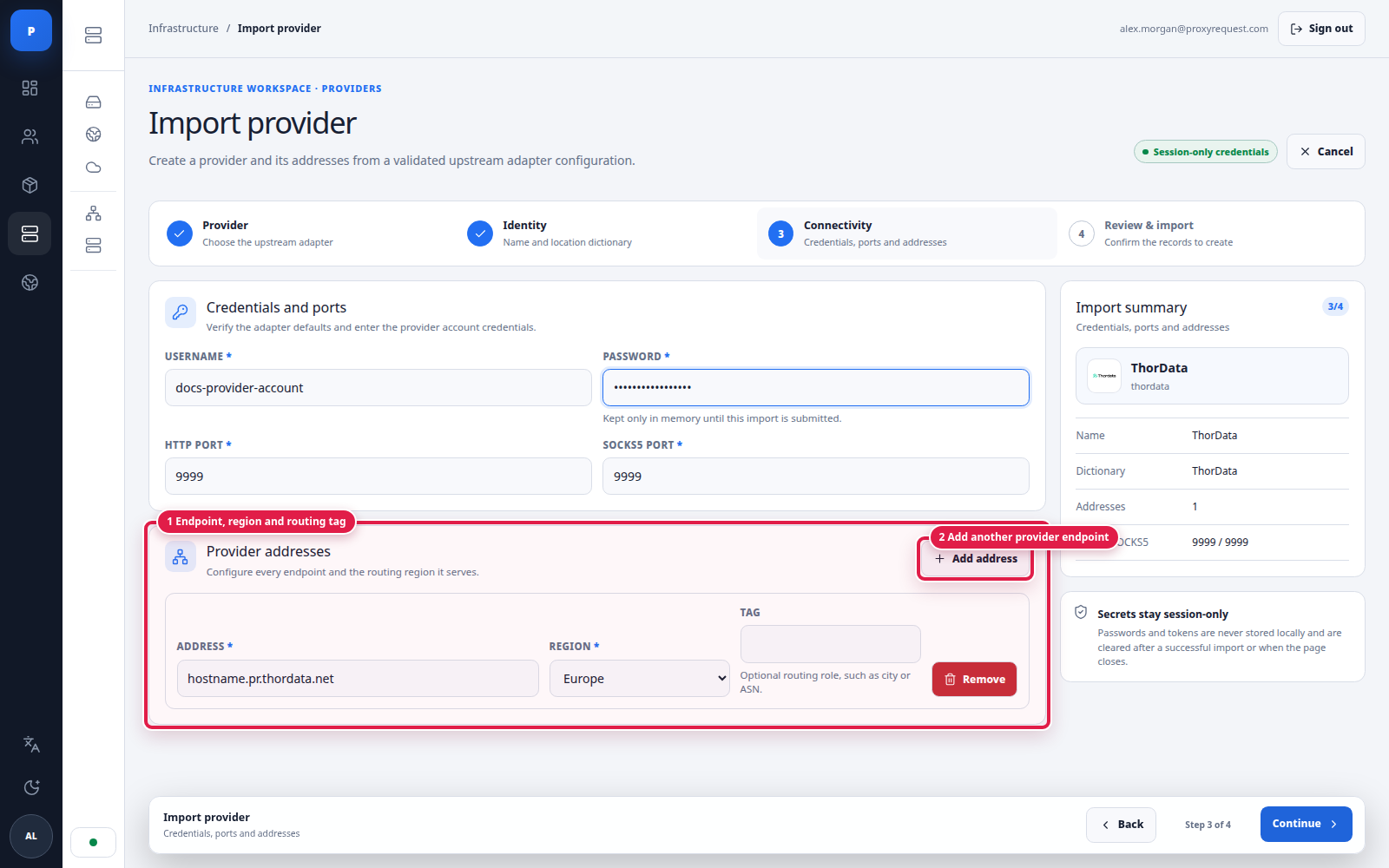 Open full size
Step 4 records where the gateway dials and what specialized routing role each address has.
Use separate address rows for materially different endpoints. The region describes where that upstream entry point belongs in your deployment; tags let the integration select specialized address sets such as city or asn.
 Open full size
The final review is the write boundary for the provider and all listed addresses.
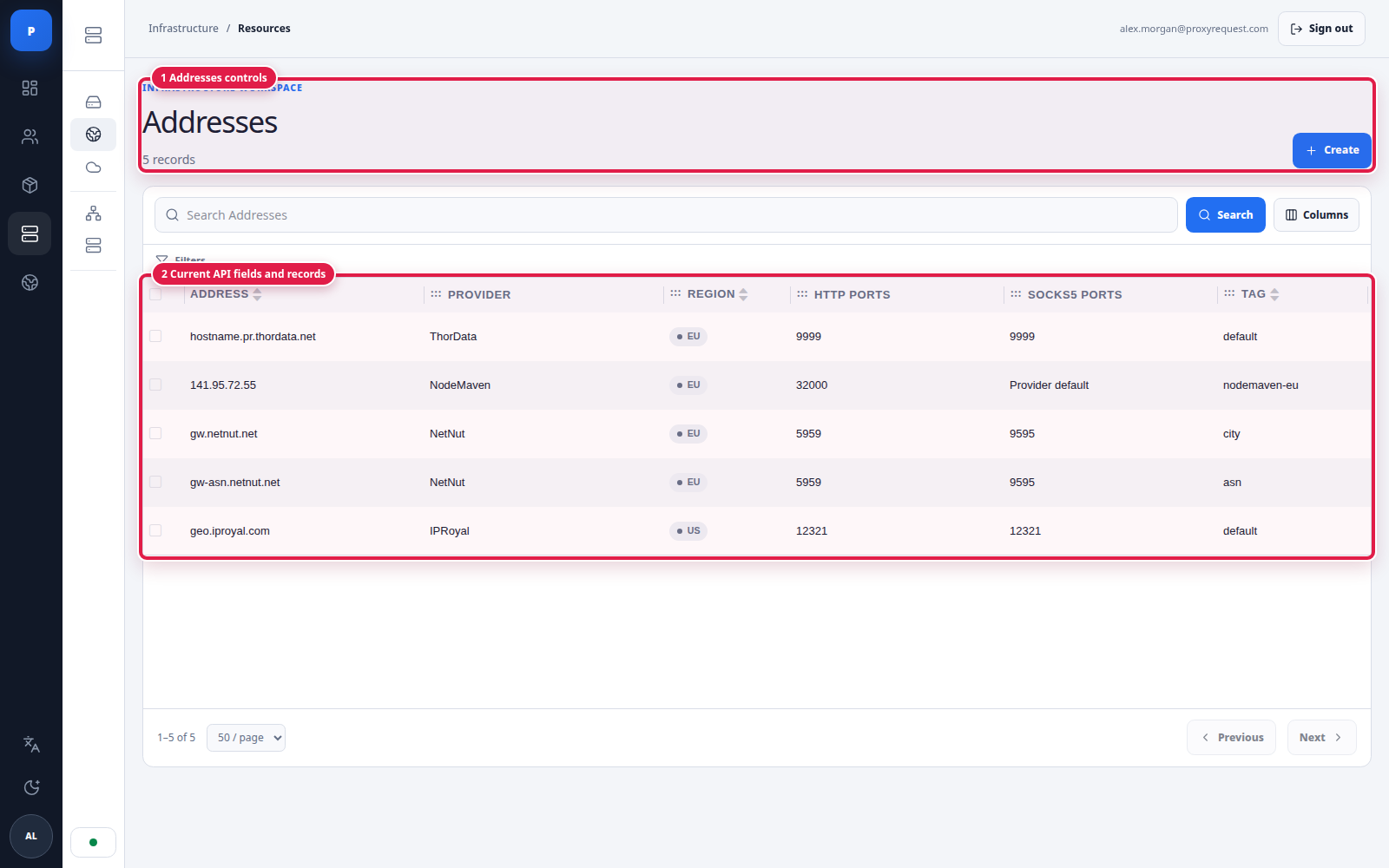
Addresses can also be reviewed and created independently under Infrastructure → Addresses. This is useful when a provider adds a region, separates city/ASN traffic, or changes a port range.
 Open full size
Address rows make endpoint ownership and protocol exposure visible without revealing credentials.
 Open full size
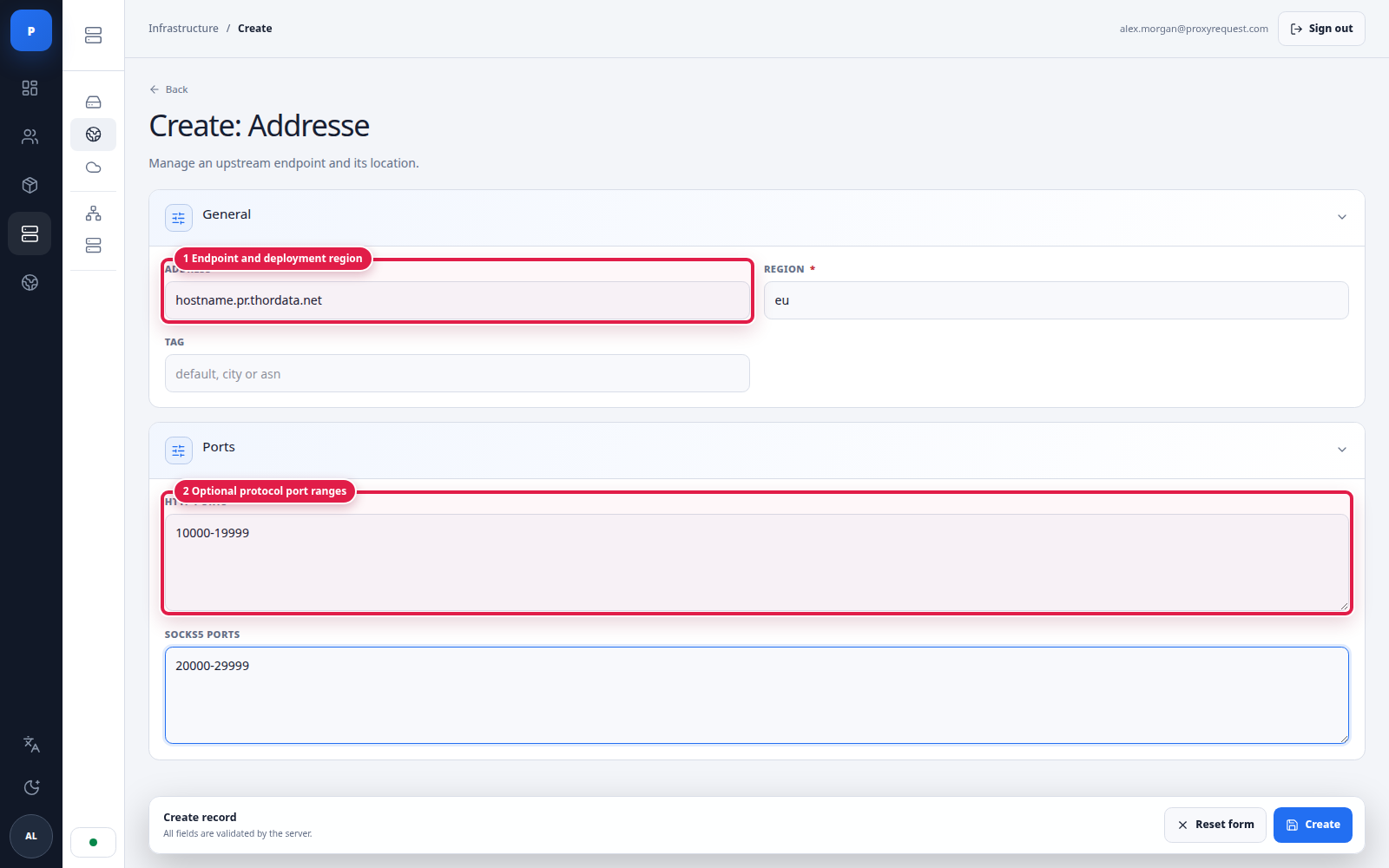
Manual creation supports one hostname with deployment region, routing tag, and optional protocol ranges.
Provider-level ports are the normal default. Address-level ranges are for integrations whose endpoints expose a span of usable ports. Do not invent a range from a single documented port.
Healthy
Eligible only when protocol, location, package, pool, and customer policy also match.
Degraded
Reduce exposure, inspect endpoint evidence, and preserve alternate tested supply.
Unavailable
New selection can exclude the target; an in-flight customer operation is not automatically replayed.
Before changing credentials, ports, dictionary, endpoints, or protocol flags, identify every package and pool that can select the provider. Record the old value and update one responsibility at a time.
For a credential rotation, update a low-risk environment or endpoint first, run live synthetic traffic, then roll out the remaining targets. To retire a provider, move package and pool allocation to tested alternatives, wait for new traffic to leave it, inspect closed analytics and active sessions, and only then disable it.
Continue with pools and routing to turn validated supply into reusable selection policy.