Before
Record a closed provider-analytics window and verify spare capacity on the route receiving more traffic.
A pool is a reusable routing group. It can combine provider allocations, constrain location behavior, and be public or private. Packages can then reuse the pool instead of duplicating the same supply policy.
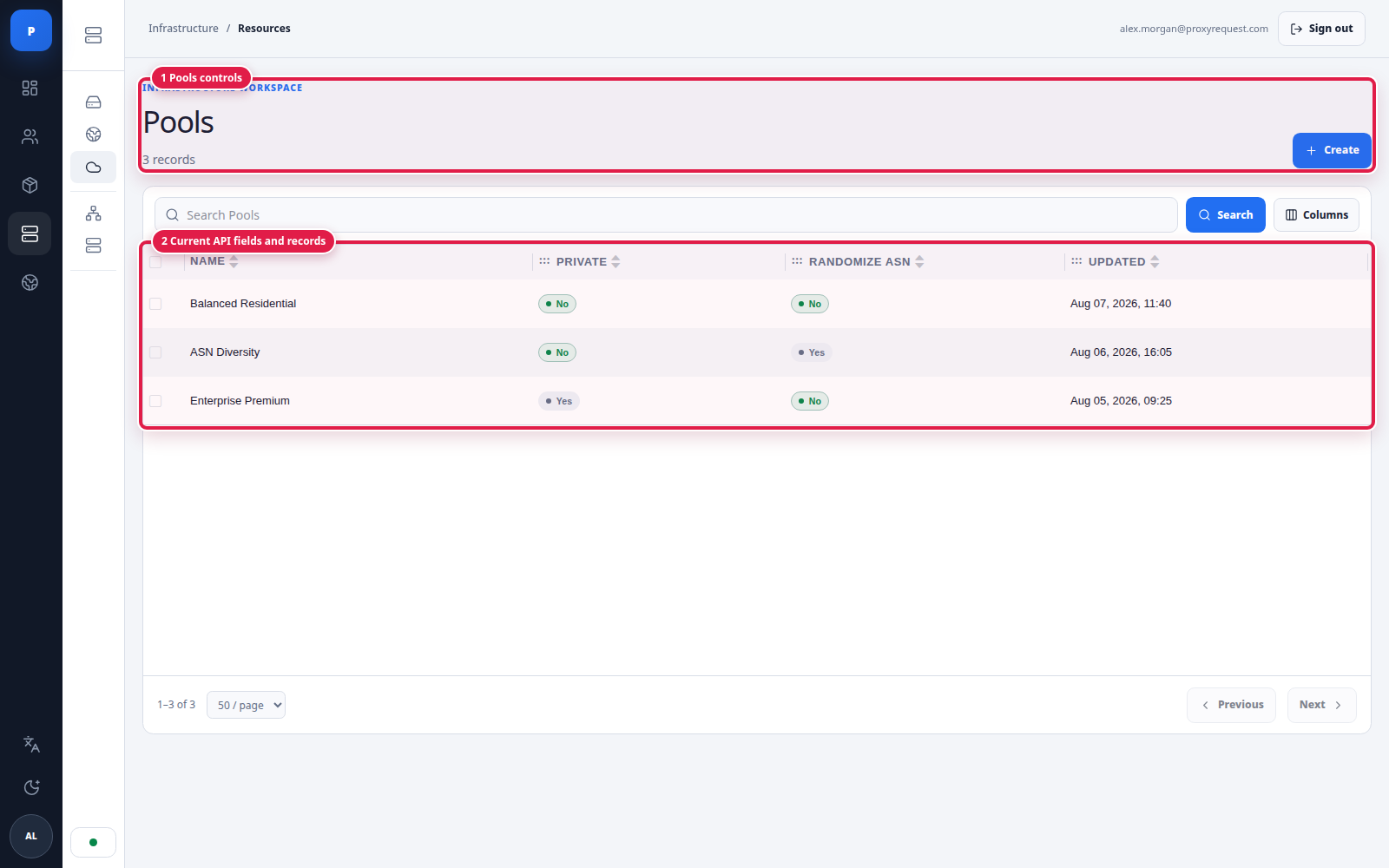 Open full size
The list exposes the pool's operational identity and access/randomization policy; open a row to review its full provider allocation.
Create a pool when at least two packages or access contexts should share a routing policy, or when operators need to change the upstream mix without editing every product. Useful examples include:
Do not create a pool merely to rename one provider when a direct package allocation is clearer.
Weights operate only among routes that remain eligible. A provider with a configured 60% weight receives none of a country it cannot serve, and a provider that is uniquely capable of a requested city or UDP mode can receive all matching requests.
The following operator model reflects the current routing behavior. Constraints such as active access, protocol, provider health, geography, and session compatibility are applied throughout the selection:
| Situation | Gateway behavior | Operator or client action |
|---|---|---|
| No provider supports the complete target | Returns an error without widening geography | Remove only a business-approved constraint or correct the catalog |
| Provider target is unhealthy before selection | Excludes it from a new eligible set | Investigate health and ensure alternate compatible supply exists |
| Active request times out | Does not replay the application operation | Client performs a bounded retry only when safe |
Destination returns 403 | Does not assume the exit is bad | Diagnose destination policy; do not rotate identities blindly |
| Sticky route becomes unavailable | Continuity can break and a compatible route may be selected later | Application must tolerate a new exit and re-establish state |
| All supply behind a package is removed | New connections fail | Disable sales, communicate impact, and restore a tested route |
Before
Record a closed provider-analytics window and verify spare capacity on the route receiving more traffic.
During
Change one pool or package, send synthetic traffic, and watch health, errors, bytes, requests, and exit behavior.
After
Reconcile the next closed window and retain the audit reason and rollback value.
Use the pool as an input to package creation, not as a substitute for customer entitlement or ledger controls.