Customer workflows
The dashboard supplies the main workflows a proxy customer needs after reaching your site. The visible state comes from backend resources, so package availability, orders, usage, and invoices stay consistent with proxy access.
Account to active proxy access
Section titled “Account to active proxy access”- The customer signs in or follows the configured registration path.
- The package catalog presents products, data amounts, billing periods, features, prices, and valid coupons.
- A purchase creates an invoice or uses an agreed balance/payment flow.
- Paid state produces or updates the package entitlement and data ledger.
- The customer generates HTTP or SOCKS5 credentials and chooses supported targeting/session options.
- Usage, requests, remaining data, and invoice history remain available in the account.
 Open full size
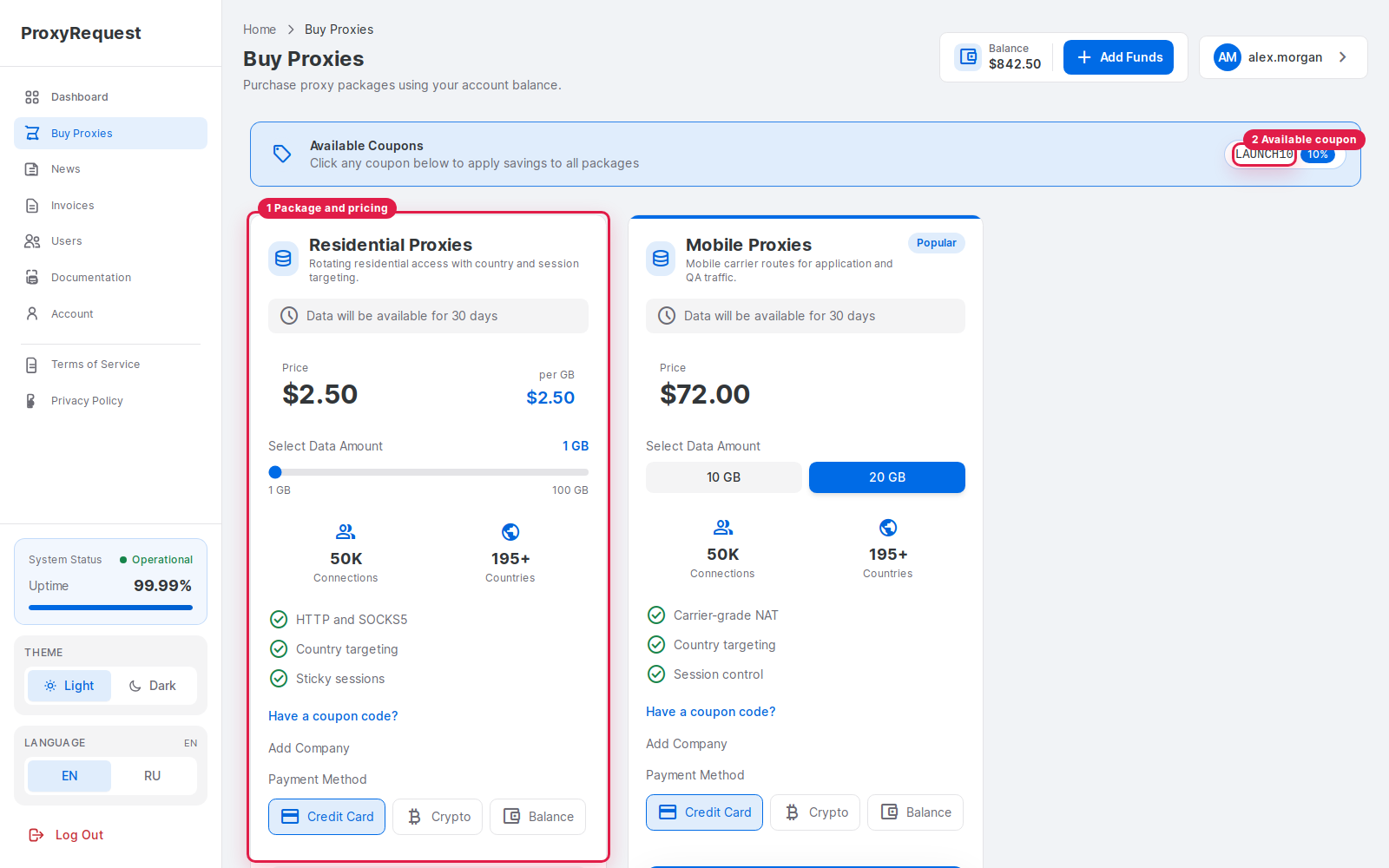
The catalog turns backend package configuration into a customer purchase surface.
- Each package presents the configured price, allowance, cycle, targeting, and product features.
- Eligible coupons can be shown and validated before an invoice is created.
Usage and service controls
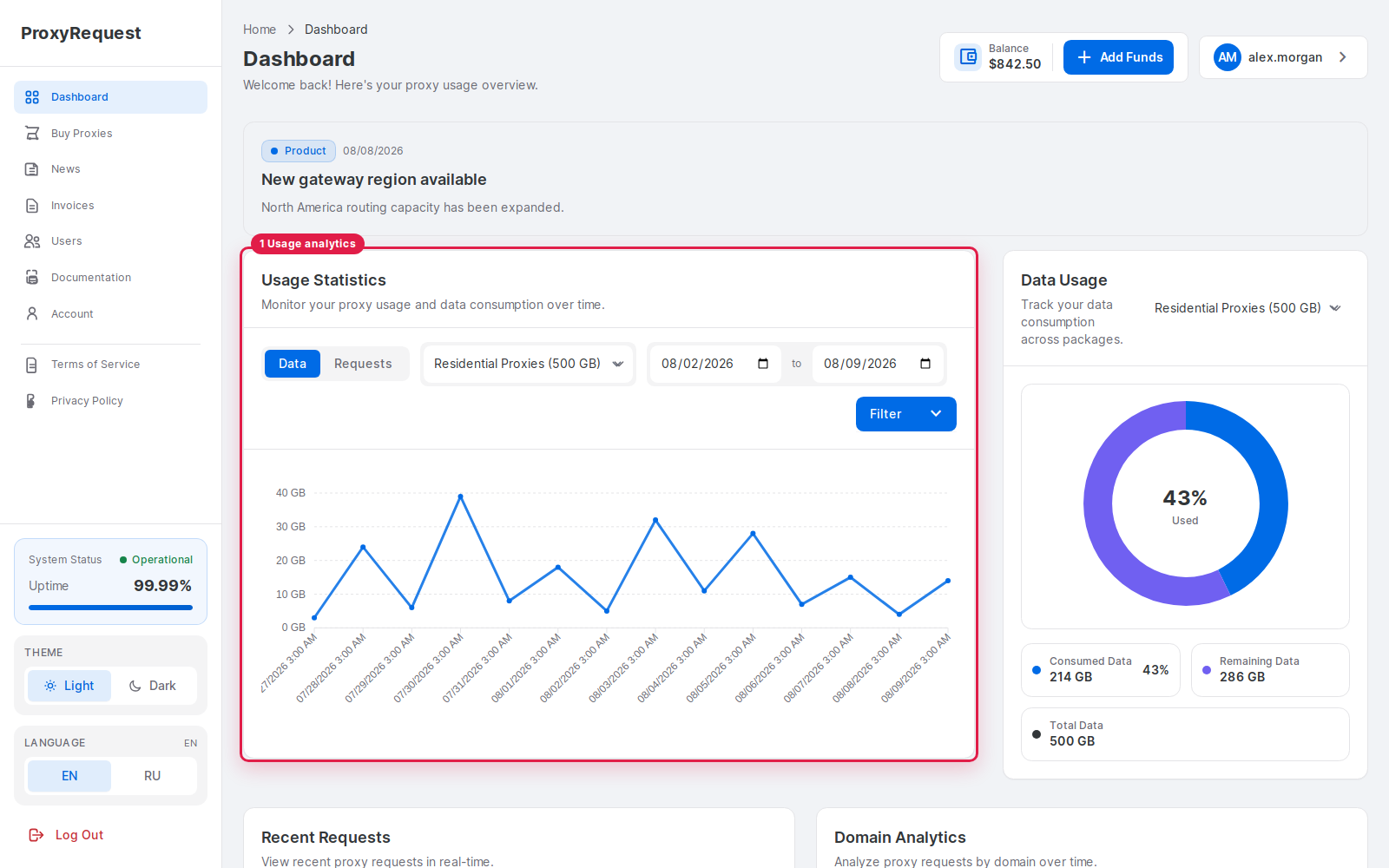
Section titled “Usage and service controls”The dashboard exposes package-scoped traffic and request analytics, remaining allowance, recent requests, domain analytics, service status, balance, news, and documentation links. Customers can also manage source-IP allowlists and blocked domains where the package and deployment support them.
 Open full size
Usage reporting is attached to the actual package entitlement and accounting records.
- The customer selects a package and date range to inspect data or request usage.
Traffic accounting arrives in short batches. A final batch may cross a configured byte limit before access stops; explain that boundary in customer terms instead of presenting the chart as an instantaneous meter. See usage accounting.
Invoices and payment state
Section titled “Invoices and payment state”Wallet money, purchased traffic and assigned child quota are different balances. Explain them using the accounting model, and show independent purchase deadlines using the ledger timeline. A new purchase does not automatically extend all older data.
 Open full size
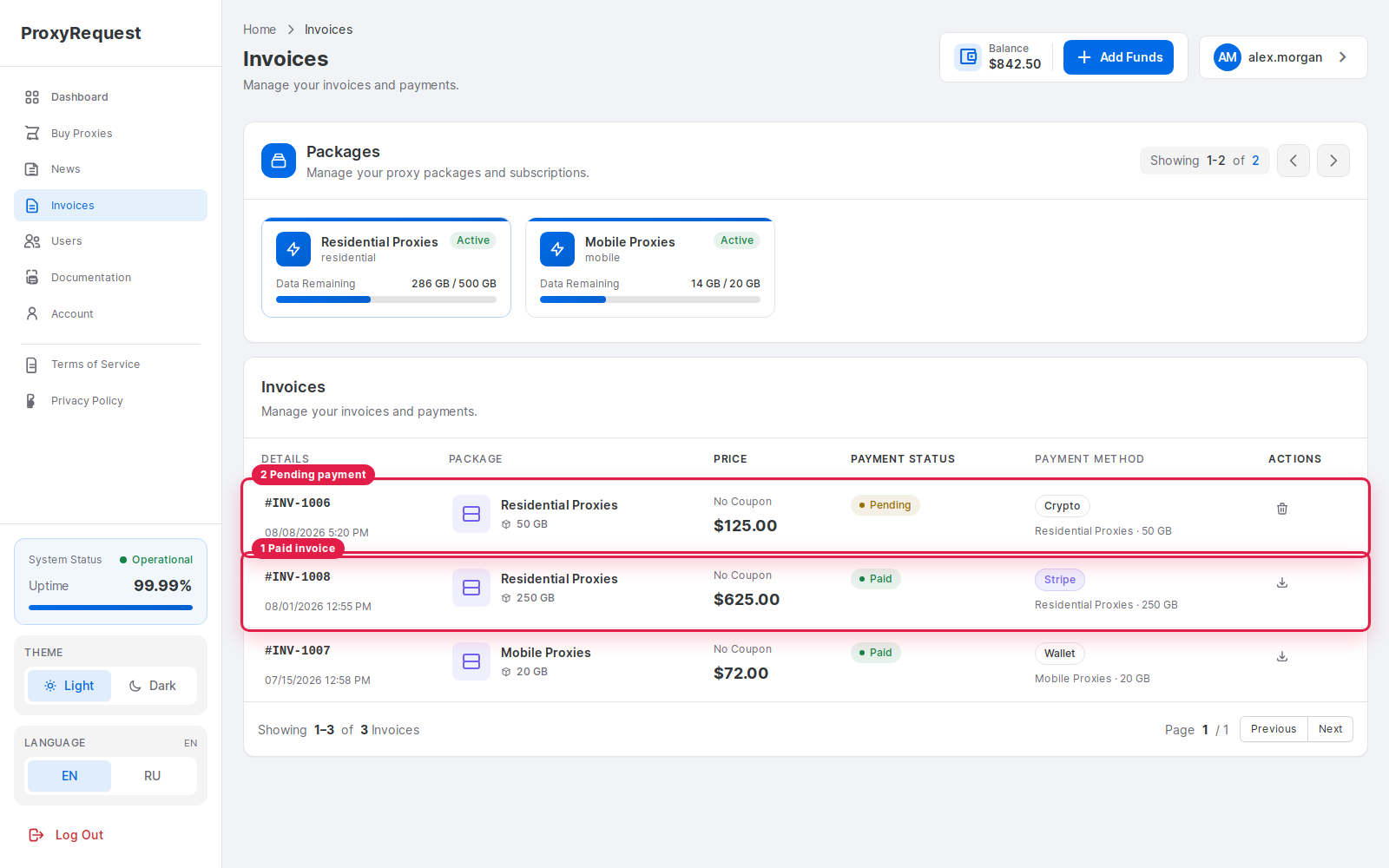
Invoice history separates completed entitlement changes from payments that still require action.
- A paid invoice records the completed commercial event tied to service.
- A pending invoice remains visible without being treated as an active paid entitlement.
For customer account controls, continue with account and security. For managed sub-users, use reseller workflows.