Catalog
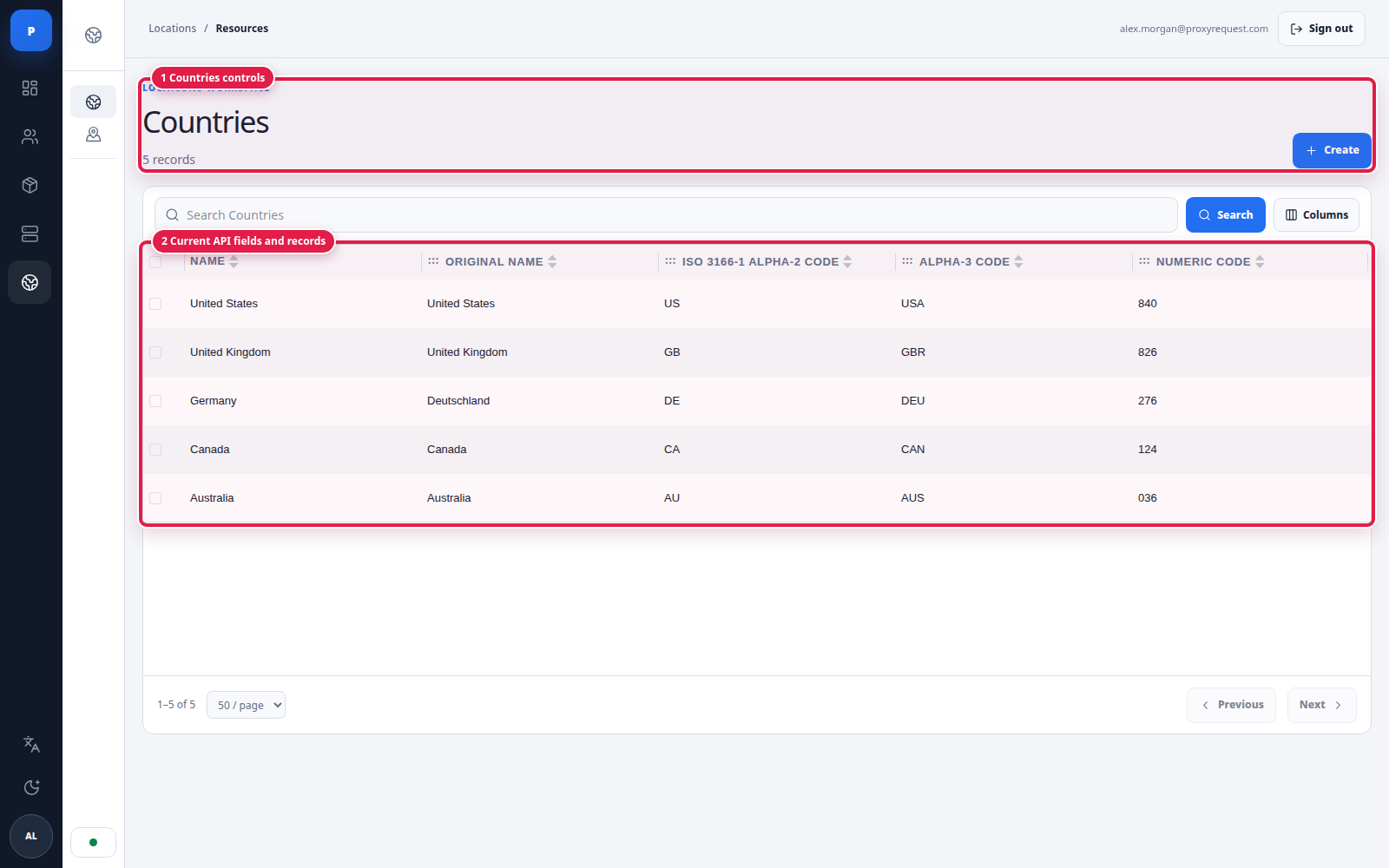
Canonical countries and the required child locations exist after startup.
ProxyRequest separates the location a customer asks for from the value an upstream provider expects. The canonical catalog gives customers one stable vocabulary. A provider dictionary translates that vocabulary into the provider’s country, region, city, and ASN grammar.
The installation bootstrap imports the platform’s canonical continents, countries, regions, cities, ASNs, and ISPs. The locations service then keeps normalized snapshots available to the gateway and refreshes them when the source hash changes. You do not need to recreate the global country list for every provider.
After first startup:
 Open full size
The canonical country catalog is installed once and is shared by provider dictionaries and customer targeting.
 Open full size
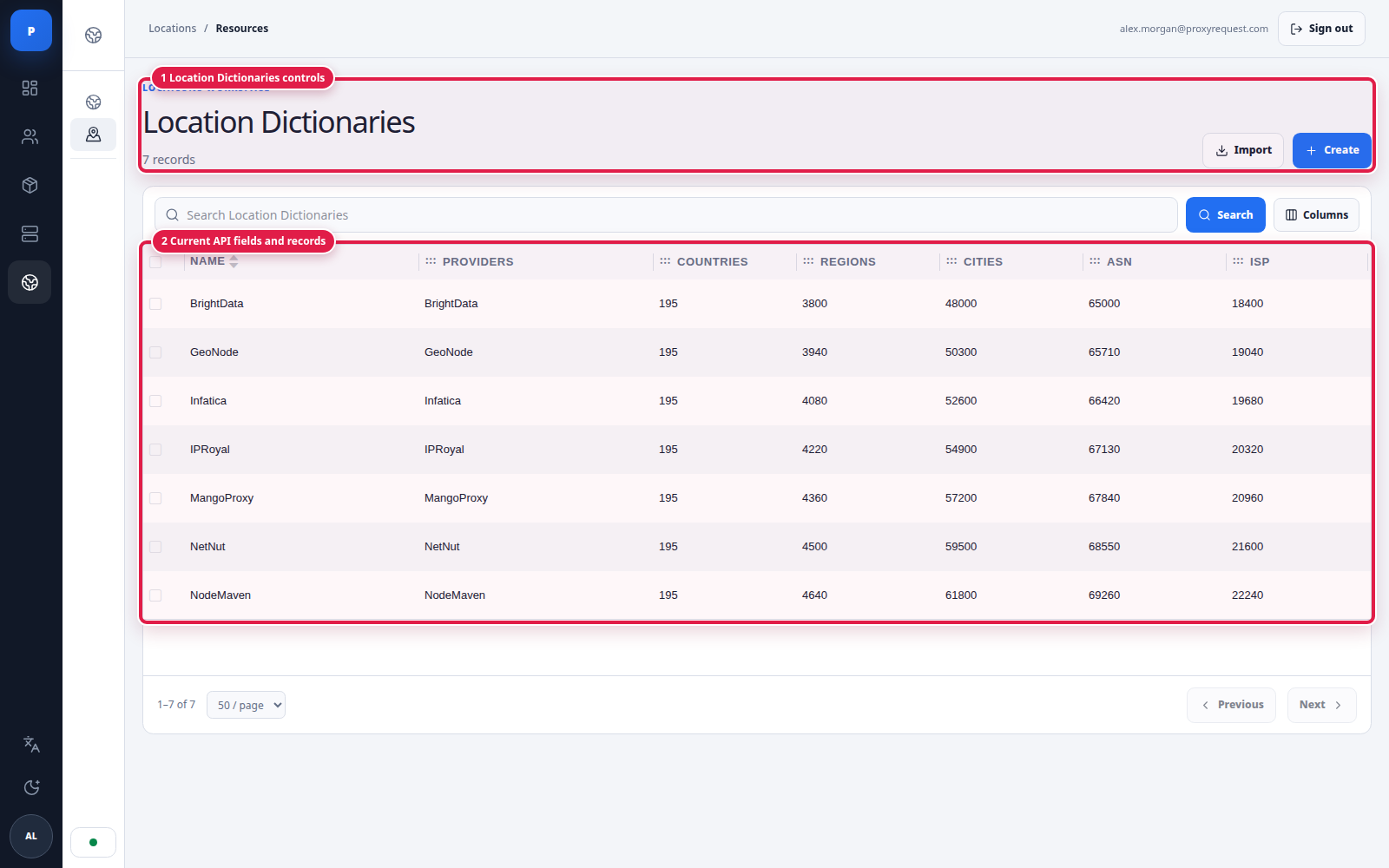
A dictionary shows which providers use it and how much vocabulary it currently covers.
Use one dictionary per provider grammar unless two integrations are proven to accept exactly the same values. A dictionary can be reused by multiple provider records when their location syntax is identical.
Choose Import when the provider adapter can read the upstream location catalog. Credentials entered in the wizard are used for that import request and are not displayed in the final review.
 Open full size
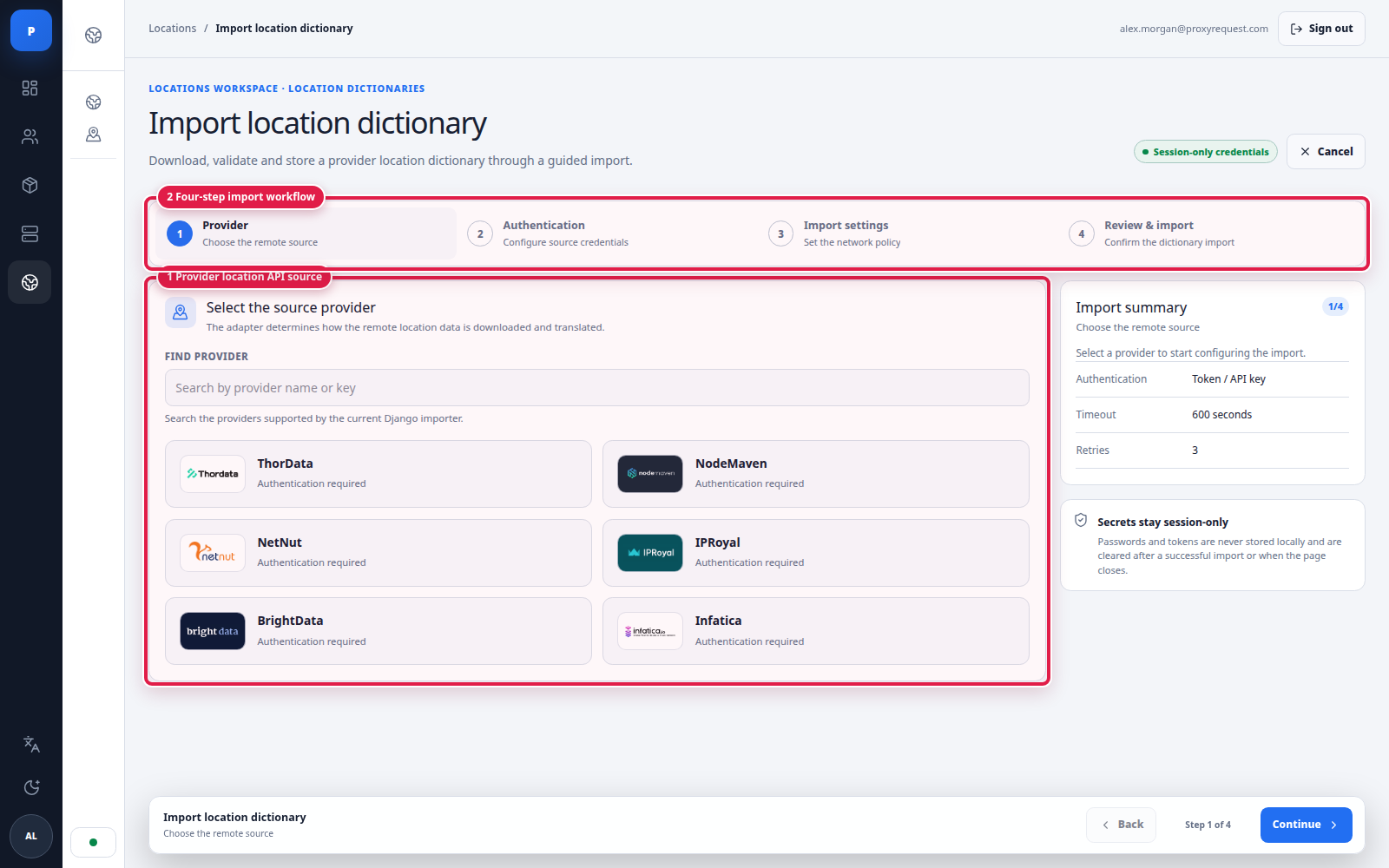
Step 1 selects the adapter that knows how to read and normalize the provider's location API.
 Open full size
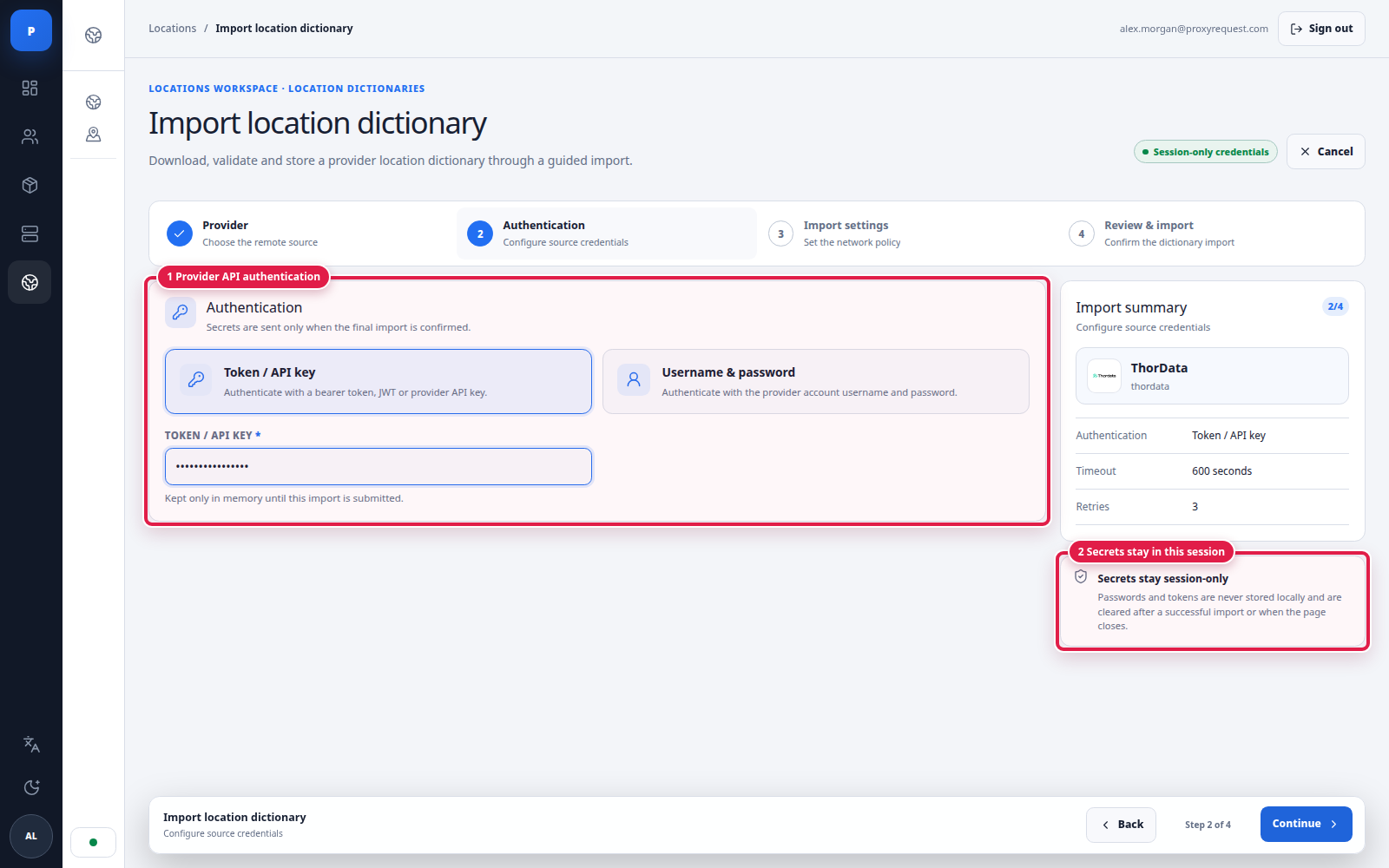
Step 2 supplies only the credentials needed to read the upstream catalog.
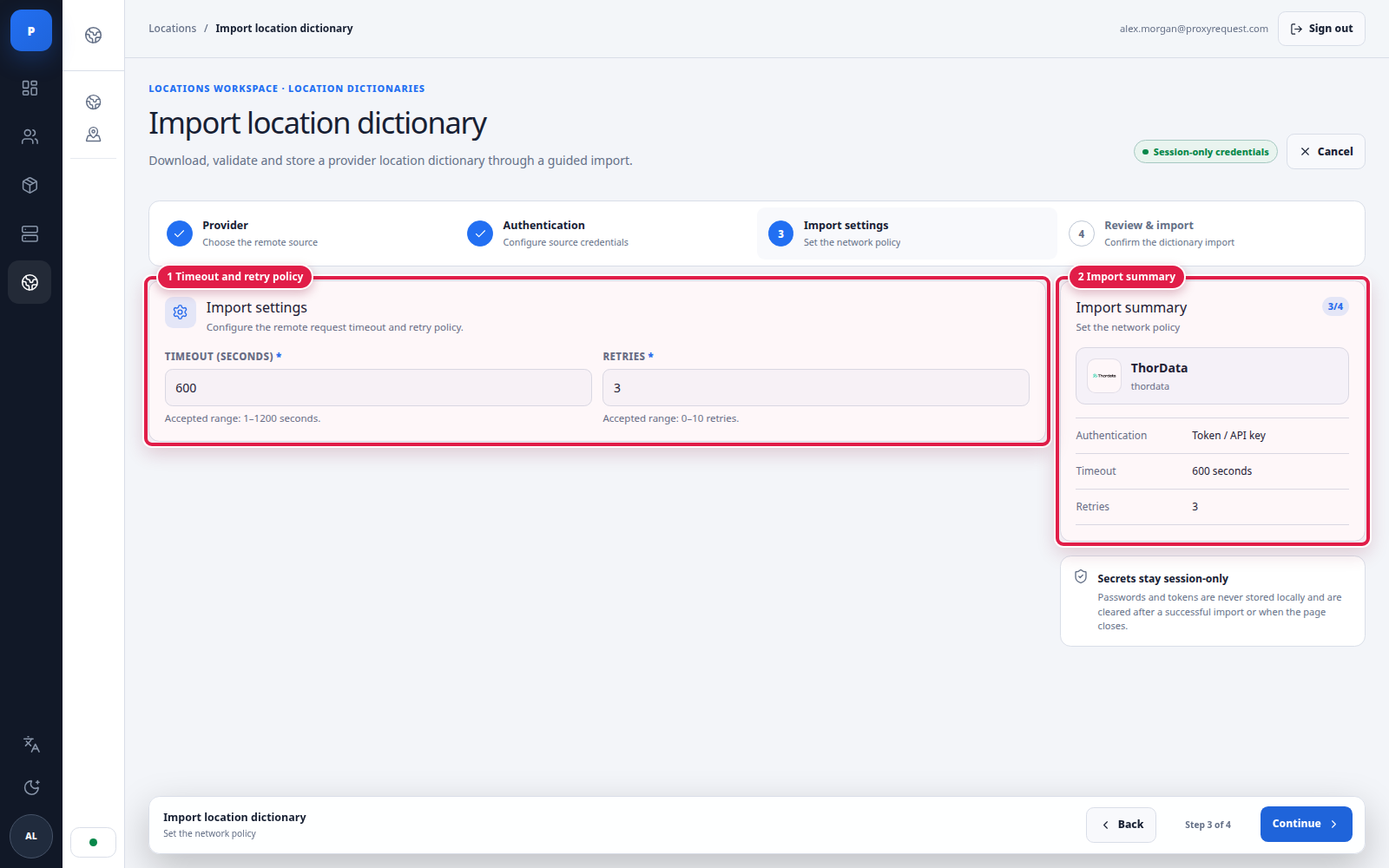 Open full size
Step 3 bounds how long a slow or unavailable provider API can hold the import.
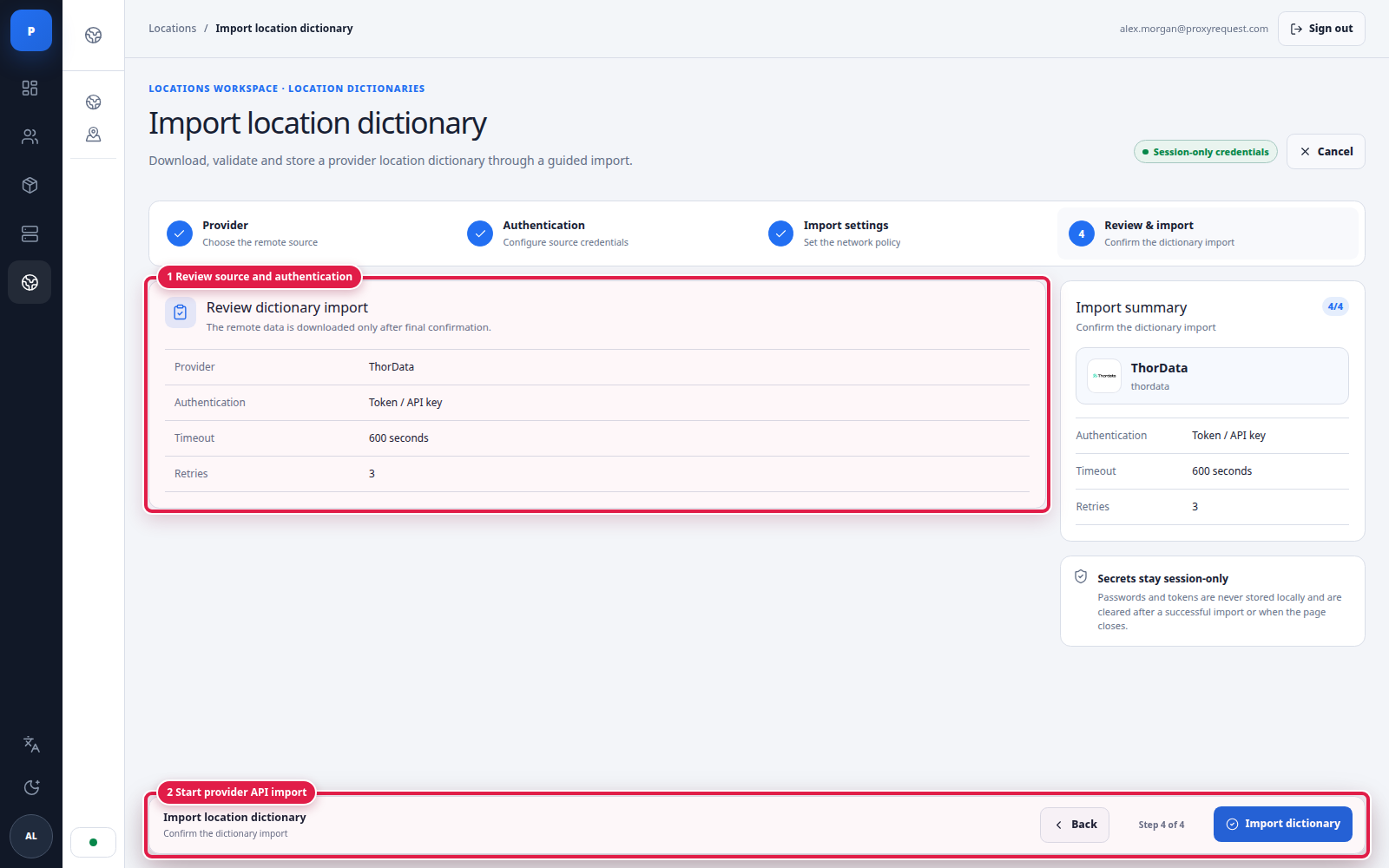 Open full size
Step 4 is the final write boundary. Confirm the source before starting the import.
After import, compare counts with the provider’s own catalog and test examples from every advertised level. A successful import proves that data was read and normalized; it does not prove that every location currently has usable proxy inventory.
Use manual creation when no adapter exists, the provider publishes a static mapping, or you need a controlled override. Start with country mappings, verify them, then add region, city, and ASN only as required.
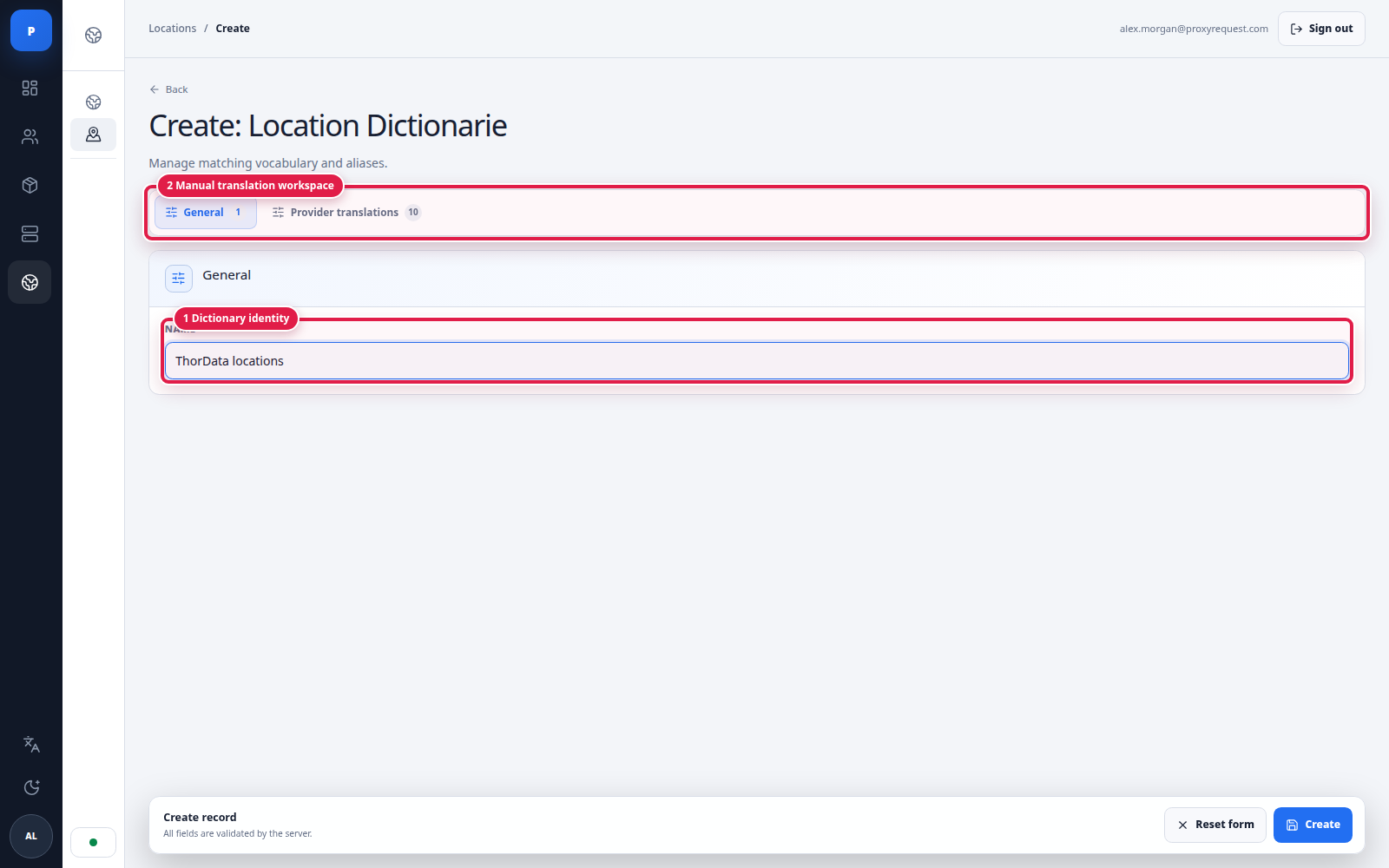 Open full size
Give the dictionary an operator-readable identity before entering provider translations.
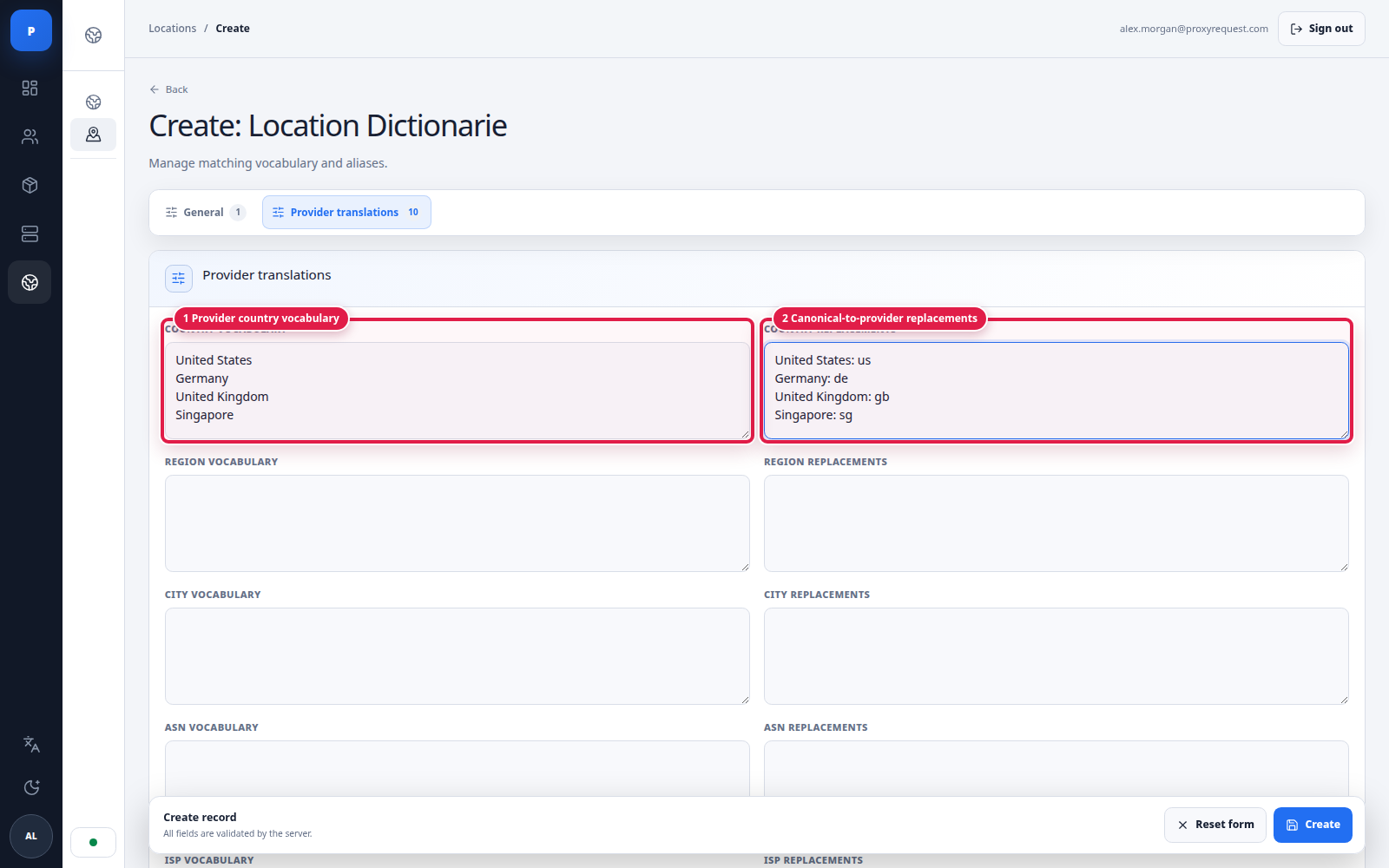 Open full size
Vocabulary records accepted values; replacements translate canonical values into provider-specific tokens.
The same pattern applies to region, city, and ASN. Preserve parent context: a city mapping without the correct country and region can be ambiguous. Avoid silent fallbacks that widen a request from city to country unless that is an explicit product rule.
canonical customer target ↓package exposes the dimension ↓routing filters eligible providers ↓provider dictionary translates the value ↓provider credential builder sends its grammar upstreamThe locations service uses normalized, versioned snapshots so gateways can read a consistent dataset. Provider-specific formats stay at the translation boundary; customers and packages continue to use canonical values.
Catalog
Canonical countries and the required child locations exist after startup.
Translation
Provider values and replacements match real upstream examples.
Availability
Package-visible targets are backed by an eligible provider and protocol.
Live test
Exit IP and reported geography match a broad and narrow requested target.
If an import fails, keep the last known-good dictionary attached, check provider credentials and API reachability, and retry with a bounded policy. If the provider changed its grammar, test a replacement dictionary before switching live routes.
Continue with provider configuration to connect endpoints and credentials to the verified dictionary.