Daily
Review provider/server health, errors, top domains, ledger risk, failed payments, webhook delivery, and customer support patterns.
Every plan includes two fully managed gateway VPS instances for new subscriptions and renewals. The operator chooses any combination of EU, US, or Asia and provides expected-load requirements. Each VPS has a network port up to 1 Gbps. ProxyRequest provisions, hardens, configures, updates, monitors, and replaces the servers; clusters organize them by operational region or failure domain. Packages may use all eligible gateways or restrict access to selected servers.
 Open full size
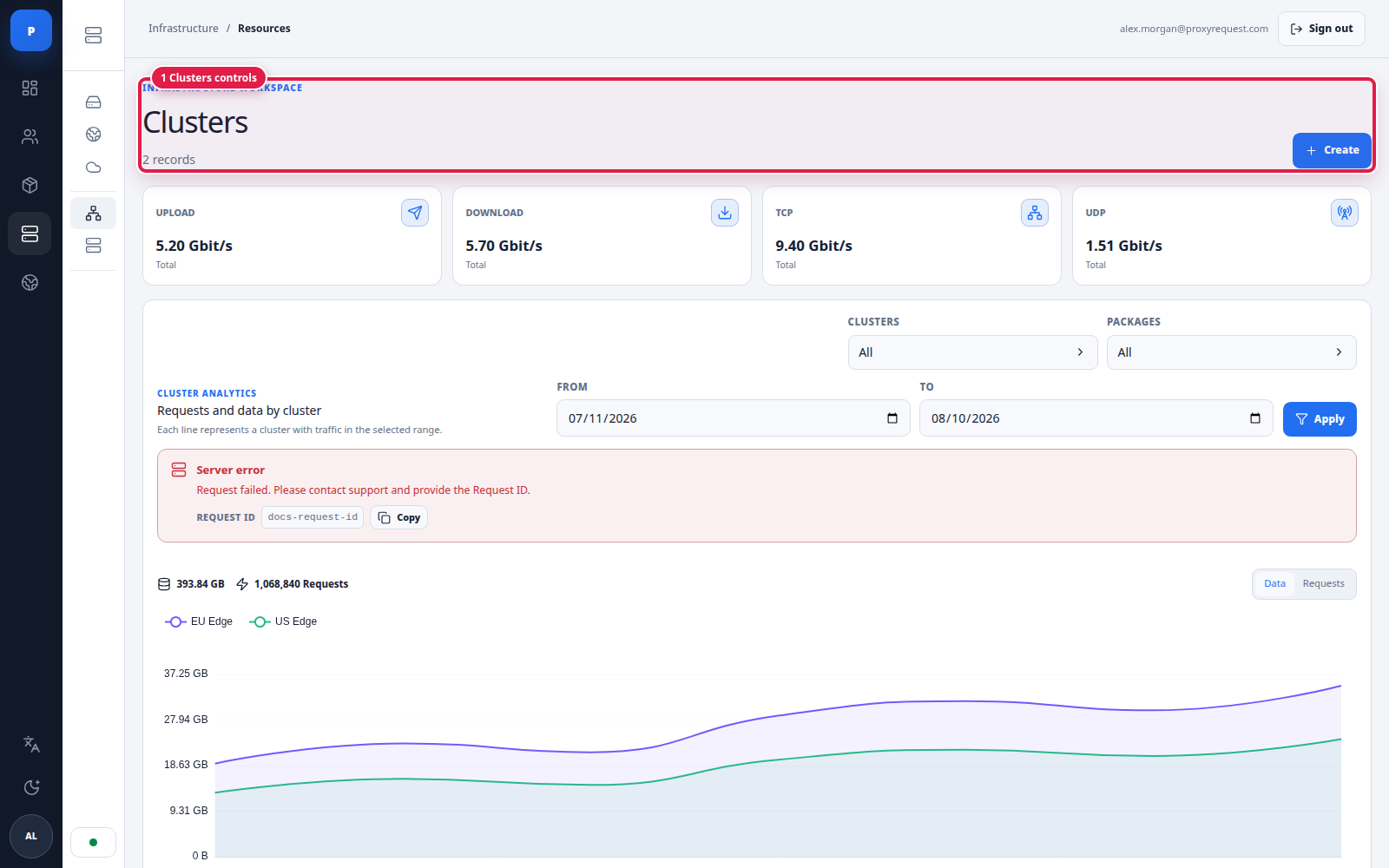
Clusters group gateways for capacity, regional operations, and failure-domain visibility while retaining the current API fields.
ProxyRequest creates the standard managed clusters around the selected regions and failure domains. Use the cluster view to confirm region, availability, and capacity while keeping package assignments and incident reports tied to stable cluster names even when an individual VPS is replaced.
 Open full size
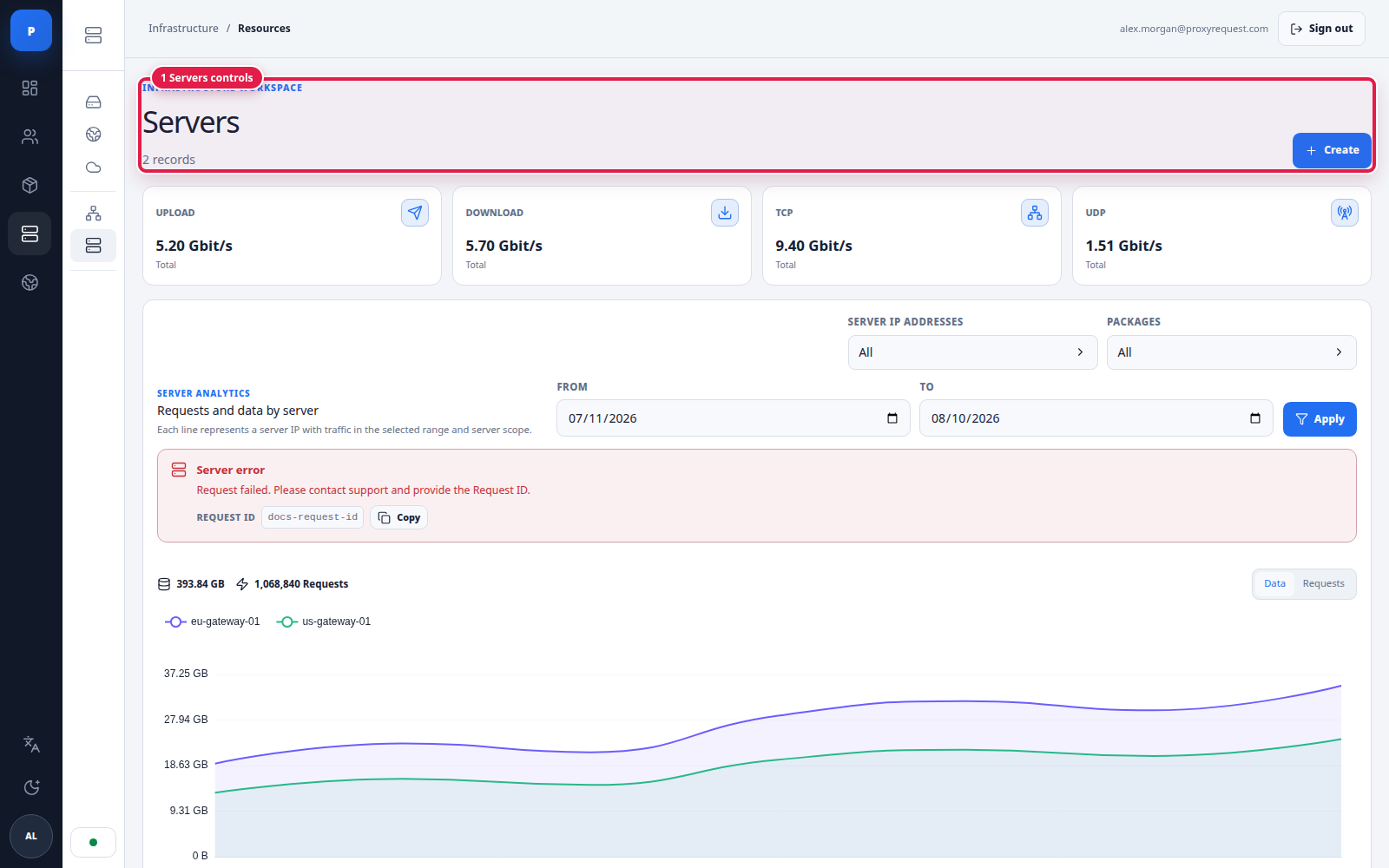
Server views connect customer traffic to the exact gateway, cluster, network rates, version, and status.
ProxyRequest-managed DNS or load balancing distributes new client connections across gateway servers. Provider routing then selects an upstream inside the authenticated package. Application retry remains a third, client-owned layer; do not confuse these three controls.
Customer-provided container hosts or Kubernetes are optional and used only when an advanced deployment requires a dedicated footprint, an existing network, or custom capacity. They are not required for the standard plan. Unless the custom agreement says otherwise, the customer owns host provisioning, operating-system access, patching, firewall and load-balancer rules, capacity, and replacement; ProxyRequest supplies the gateway software and managed platform configuration.
For this deployment model, provision and harden the capacity before registering it, expose only the assigned ports, verify DNS and health from an external network, start with a private package, and expand traffic gradually. Agree the monitoring, incident, and rollback owners before launch.
Review every global setting before launch:
| Area | Verify |
|---|---|
| Domains and TLS | Approved admin/customer domain, public API host, proxy host, certificates, redirects, and verified DNS resolution |
| Branding | Name, logo, colors, support links, legal links, and sender identity |
| Gateway | Selected regions, advertised hosts/ports, protocol exposure, managed server/cluster registration, health visibility, and escalation path |
| Commerce | Currency, payment providers, invoice behavior, package prices, coupon/reward policy, and tax/legal ownership |
| Communication | Email delivery, customer announcements, operational alerts, and support escalation |
| Security | Operator roles, 2FA, active sessions, API-key source networks, webhook secrets, and audit retention |
| Data governance | Analytics retention, access to destinations/IPs, export policy, and deletion obligations |
Settings may differ by deployment and contract. Record the accepted value and owner instead of treating undocumented defaults as a service guarantee.
null child balances are tested.Daily
Review provider/server health, errors, top domains, ledger risk, failed payments, webhook delivery, and customer support patterns.
After each change
Send synthetic traffic, inspect the audit log, compare a closed analytics window, and retain the rollback value.
Weekly
Review provider mix, capacity headroom, committed versus physical data, privileged access, stale keys, incidents, and customer-visible promises.
Return to the admin panel guide for the complete configuration sequence, or use routing and failure behavior for the customer-visible gateway contract.