Inventory
Record current values and identify active orders before changing the contract.
Before selling the product, decide whether customers buy independent data or receive a reseller quota. A package is the product definition, not a funded balance. Read the accounting model and expiration examples; a billing cycle is a bucket deadline rule, not an automatic reset of every child’s quota.
A package is the product contract customers buy. It joins identity, lifecycle, price, enforced limits, eligible supply, gateway scope, targeting, and proxy-username behavior. Orders grant a user access to a package and its data ledger.
Have these decisions approved first:
Use a private package for first tests. Creation is immediate and produces an active record.
 Open full size
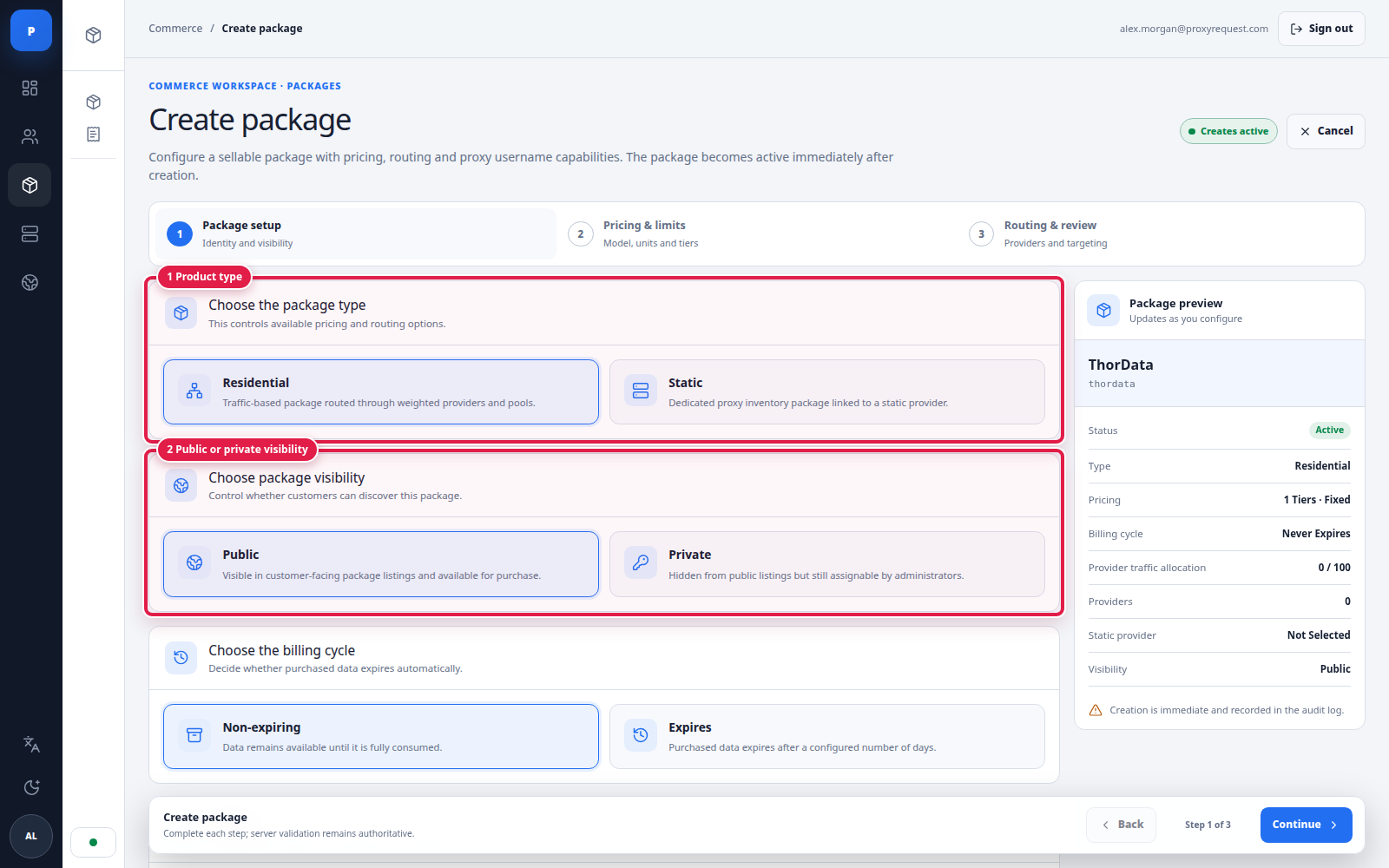
Start with the choices that determine which later fields and routes are compatible.
Choose Residential for traffic-metered rotating or sticky access through one or more upstream providers. Choose Static for dedicated inventory linked to a compatible static provider. Visibility affects discovery, not the validity of an existing entitlement.
 Open full size
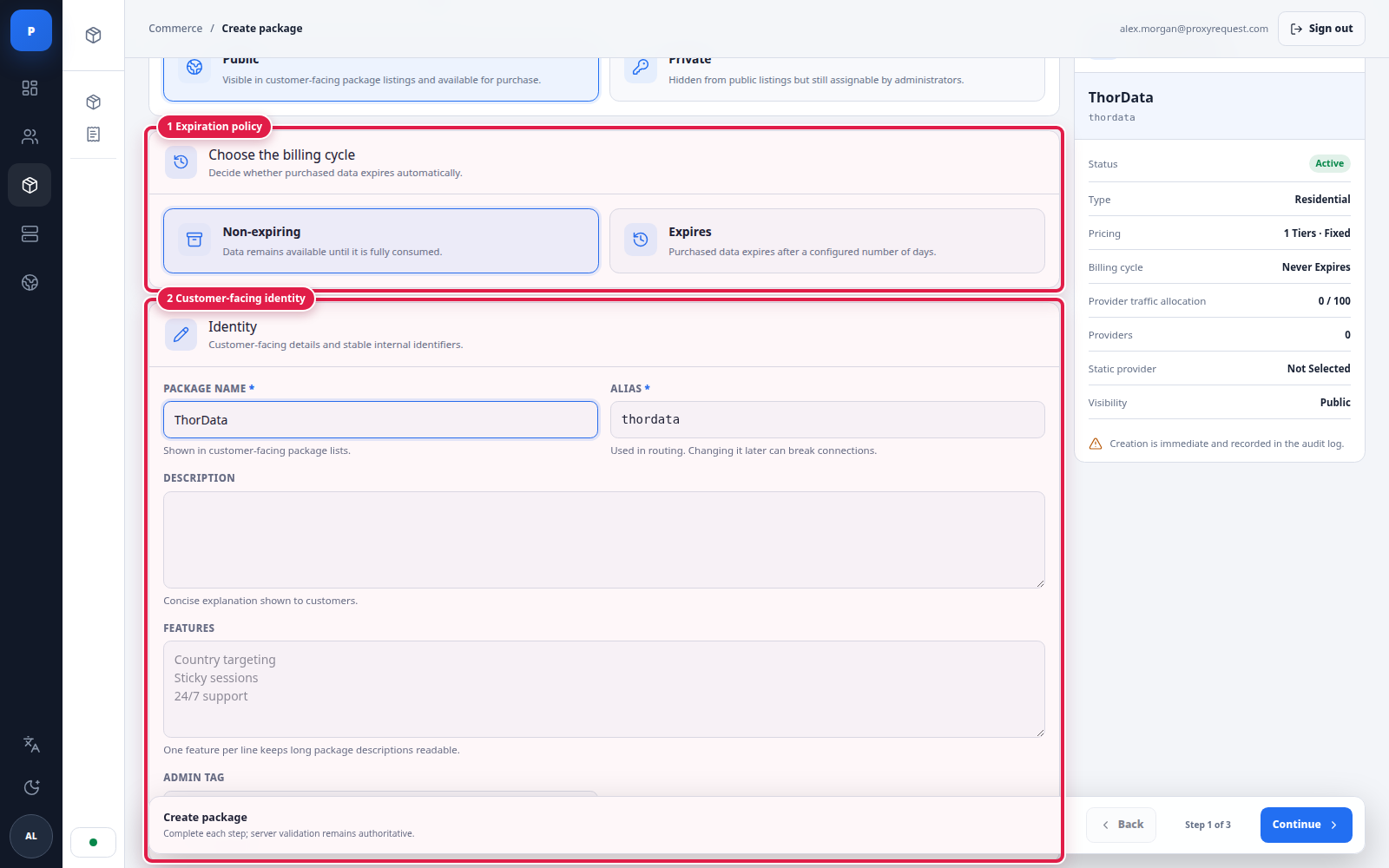
Complete lifecycle and identity while the live package preview exposes inconsistent choices.
Treat the alias as stable after credentials are distributed. Describe only capabilities you have tested end to end. Supplier names belong in provider configuration, not necessarily in a white-label customer product.
 Open full size
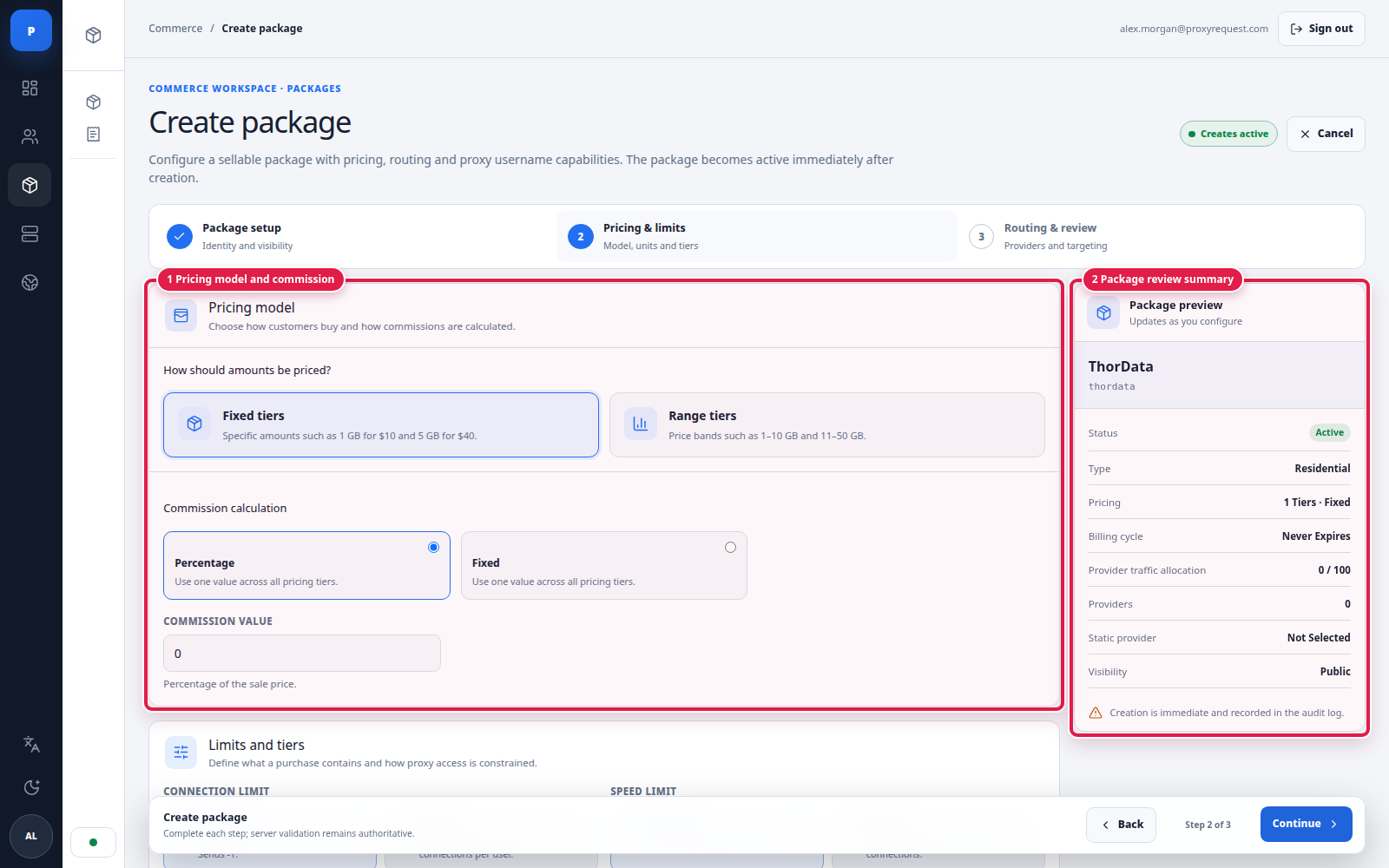
Choose the commercial model first, then verify how it appears in the package review.
| Pricing model | Use it when | Validate |
|---|---|---|
| Fixed tiers | Customers choose exact offers such as 1 GB or 10 GB | Unique amounts, intentional effective price, correct expiry |
| Range tiers | Customers enter an amount inside allowed bands | No gaps or overlaps; boundary pricing is correct |
| One-time tier | A residential offer is limited to one purchase per customer/package | Existing pending or paid one-time purchases prevent a second purchase; this flag is not a recurring-subscription setting |
Define whether customer-facing “GB” is decimal or binary and use the same conversion in prices, orders, ledgers, invoices, and UI.
 Open full size
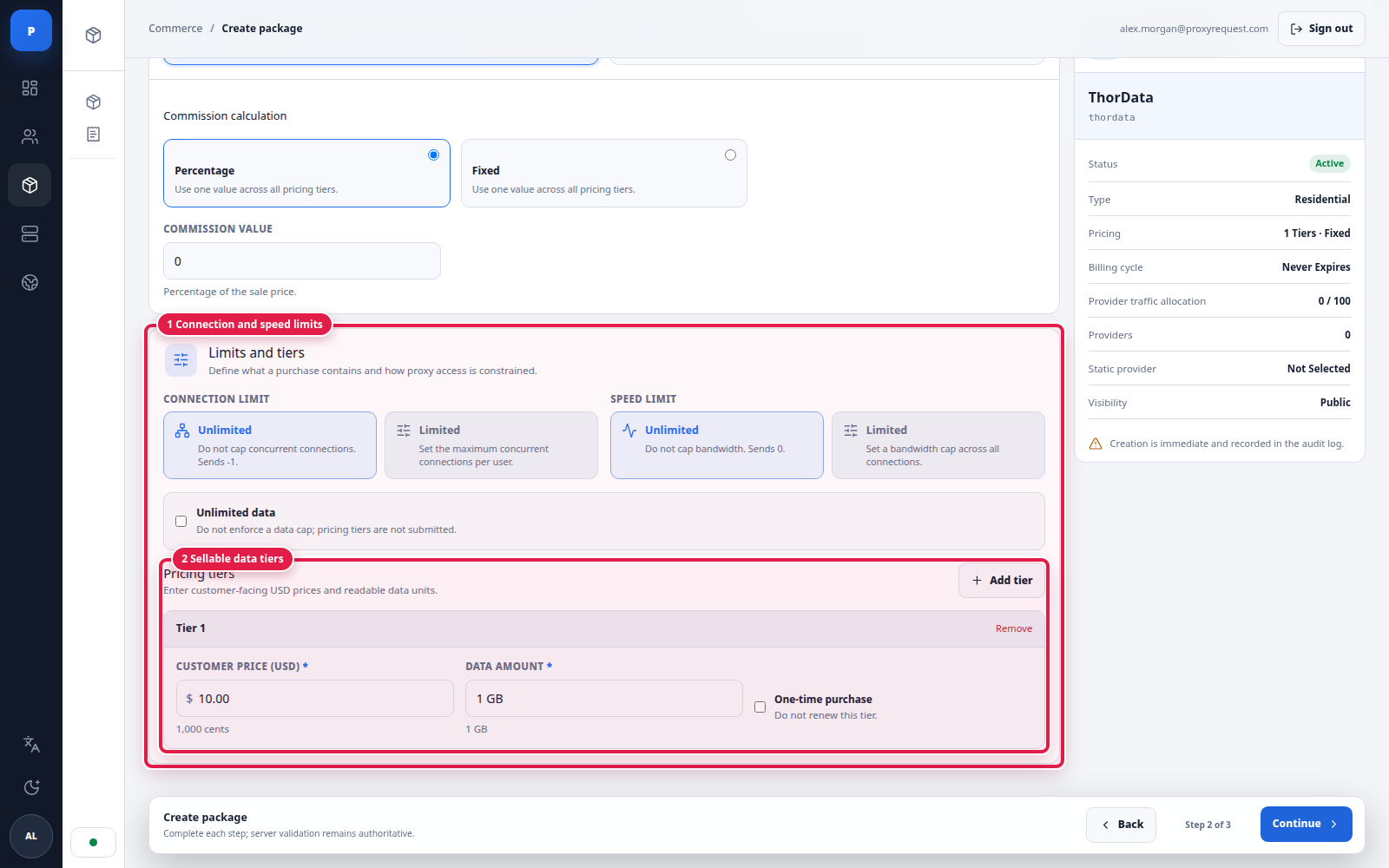
Limits use explicit presets first; custom inputs appear only when an operator chooses to configure them.
Use the preset buttons for the normal policy. Choose the custom option only when the product needs a numeric limit, then enter a non-negative whole value in the revealed input. Unlimited data removes byte-ledger enforcement for that package, but traffic still appears in analytics.
 Open full size
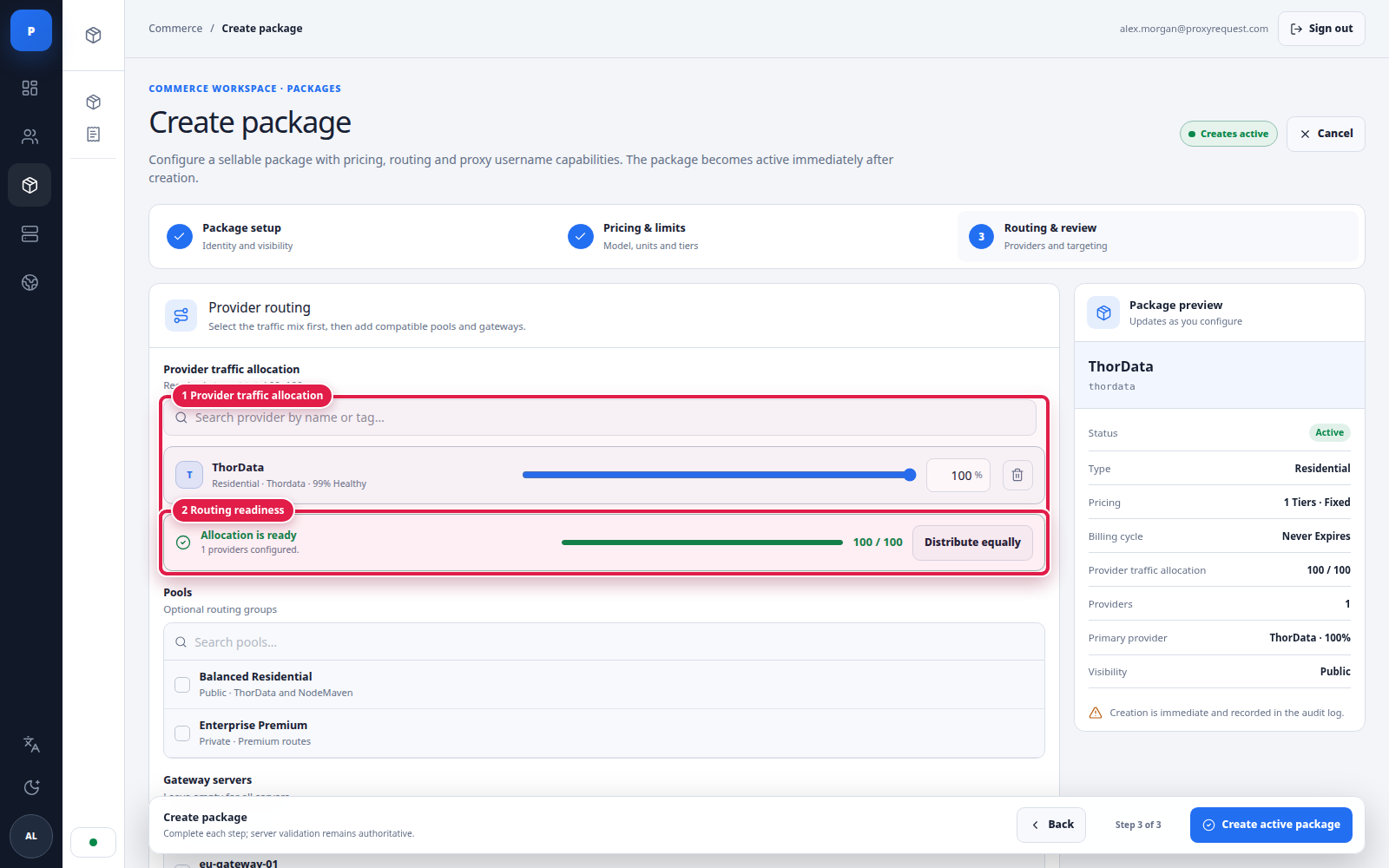
A package becomes routable only when its provider allocation satisfies the required total.
Provider weights apply among routes that remain eligible after protocol, location, provider capability, health, customer access, pool policy, and session constraints. They express selection intent, not a guaranteed billing split.
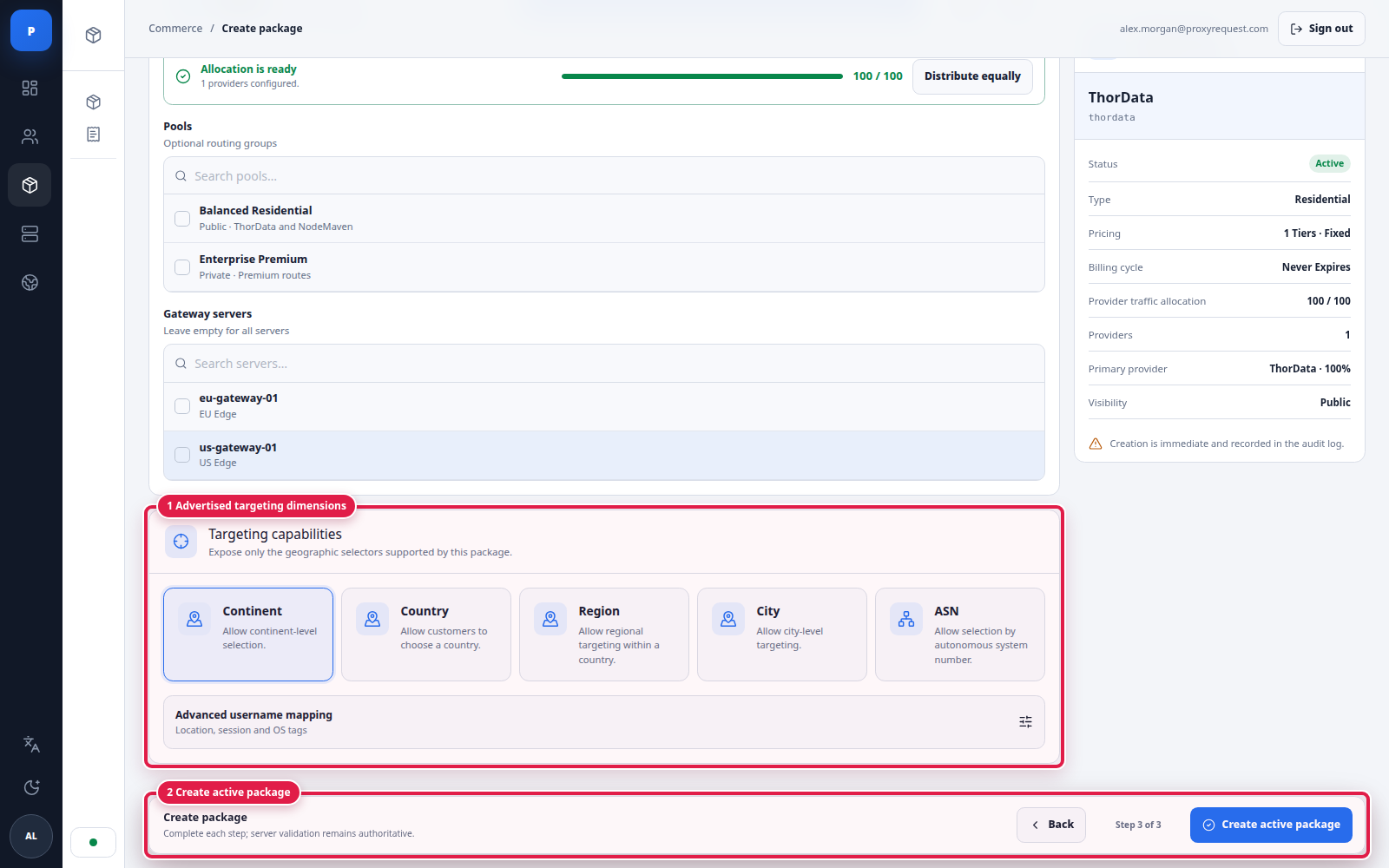
You can also attach reusable pools and restrict the package to selected gateway servers. Leaving gateway selection empty uses the eligible deployment scope. Select specific servers only for deliberate isolation, staged rollout, or a dedicated footprint.
 Open full size
Advertise only the selectors that every intended production route can honor.
Advanced username mapping controls how location, session, operating-system, and related tokens are represented in proxy credentials. Changing it can break existing integrations; use a migration plan or a new package when the grammar is already distributed.
CONNECT, SOCKS5, and UDP only where advertised.Package edits can affect active customers. Alias, username mapping, provider/pool allocation, gateway scope, targeting, expiry, limits, and pricing are compatibility-sensitive.
Inventory
Record current values and identify active orders before changing the contract.
Isolate
Prefer a new private package for a materially different product.
Verify
Test existing and newly generated credentials after each logical change.
Observe
Review errors, health, closed analytics, and audit evidence before wider rollout.
Continue with customers and data accounting to grant access and understand how usage is charged.