Interactive account
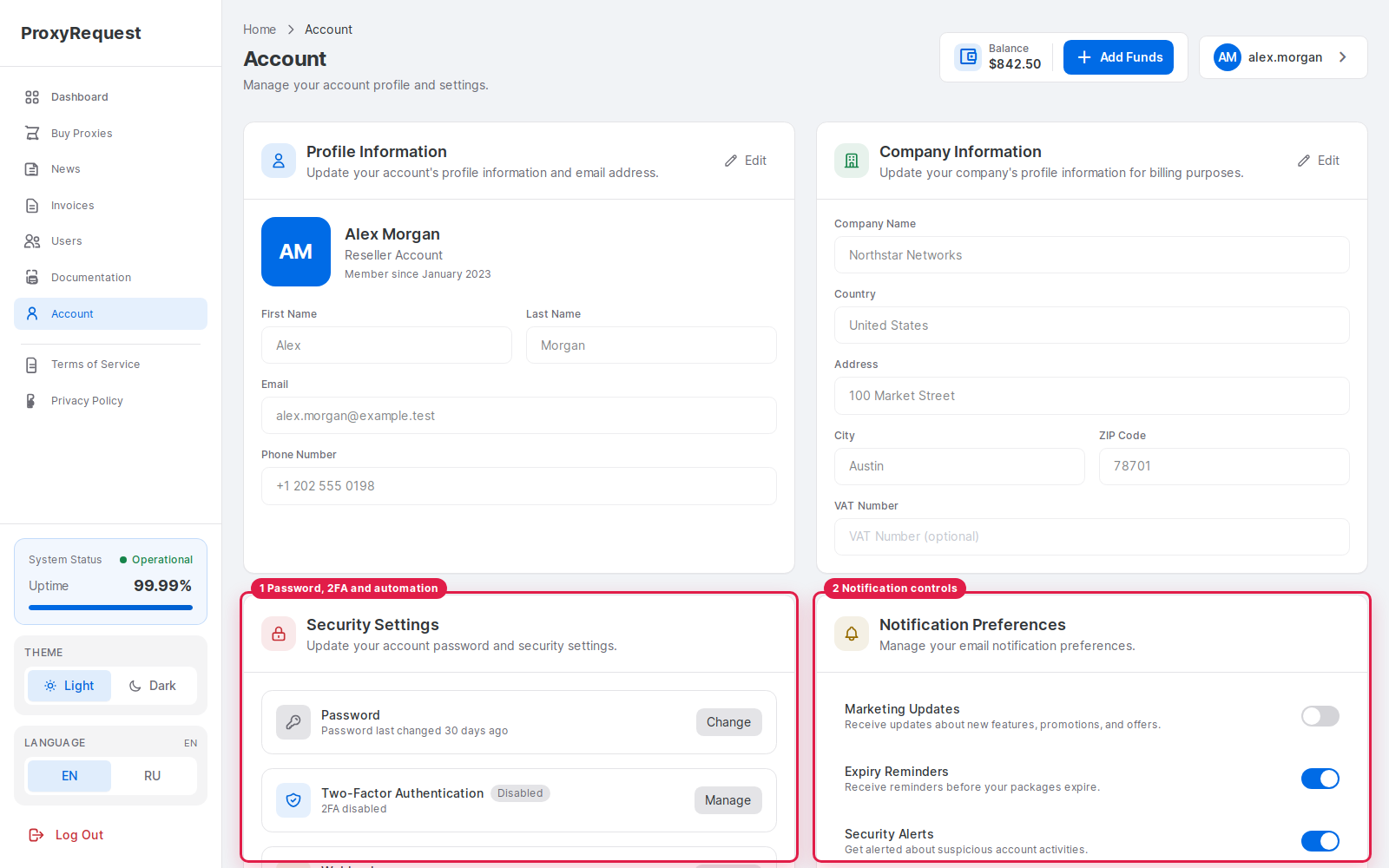
Password and 2FA protect a person signing into the dashboard.
The account area covers customer-managed identity and security settings. Operator accounts and provider secrets remain in the separate administration boundary.
 Open full size
Account security and communication preferences are part of the supplied frontend.
Customers can maintain supported personal/company fields, password, two-factor authentication, language, theme, and notification preferences. Require 2FA for reseller and automation-capable accounts where possible, and review active access after personnel or vendor changes.
 Open full size
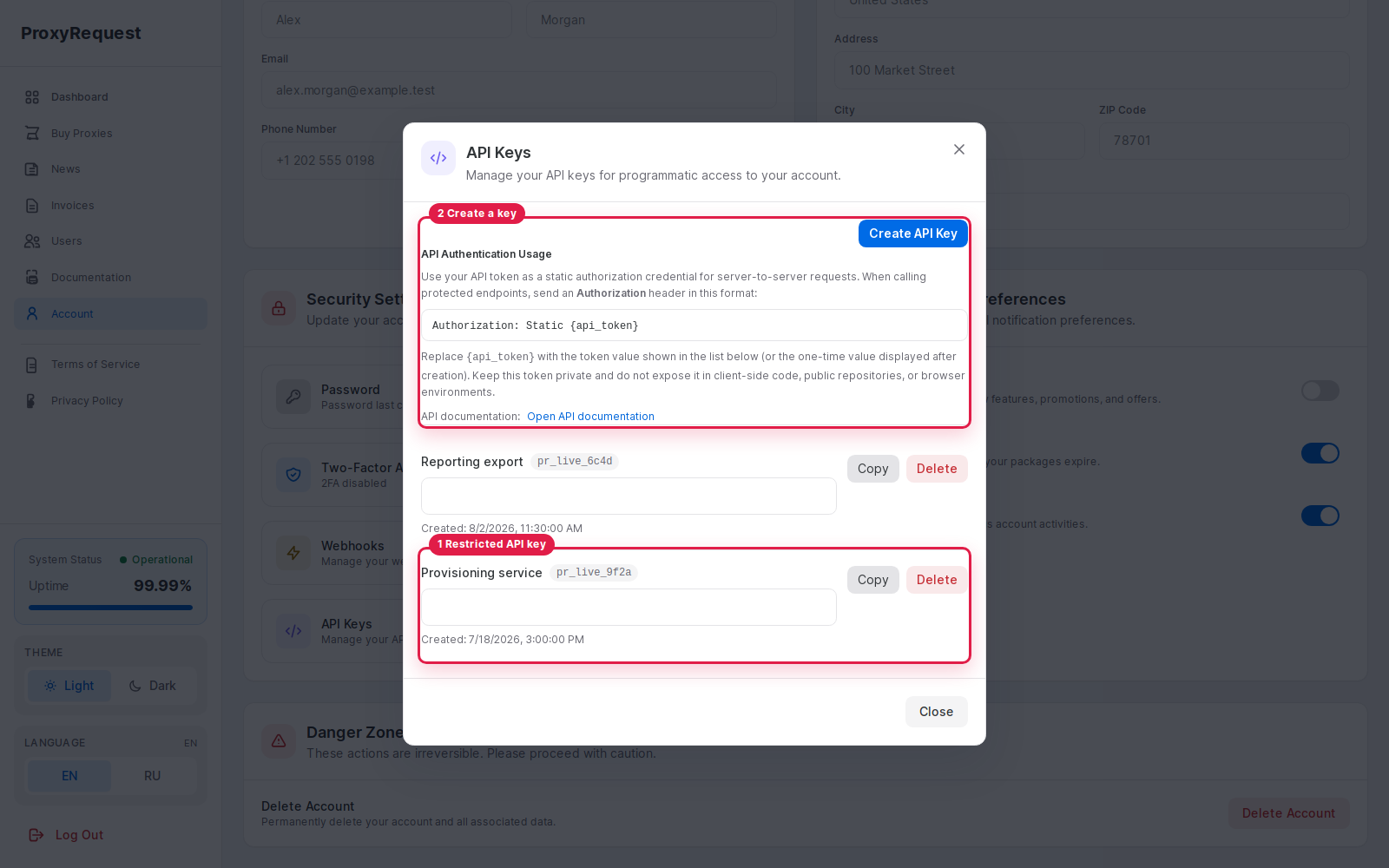
A customer can create separate automation credentials without sharing an interactive account password.
 Open full size
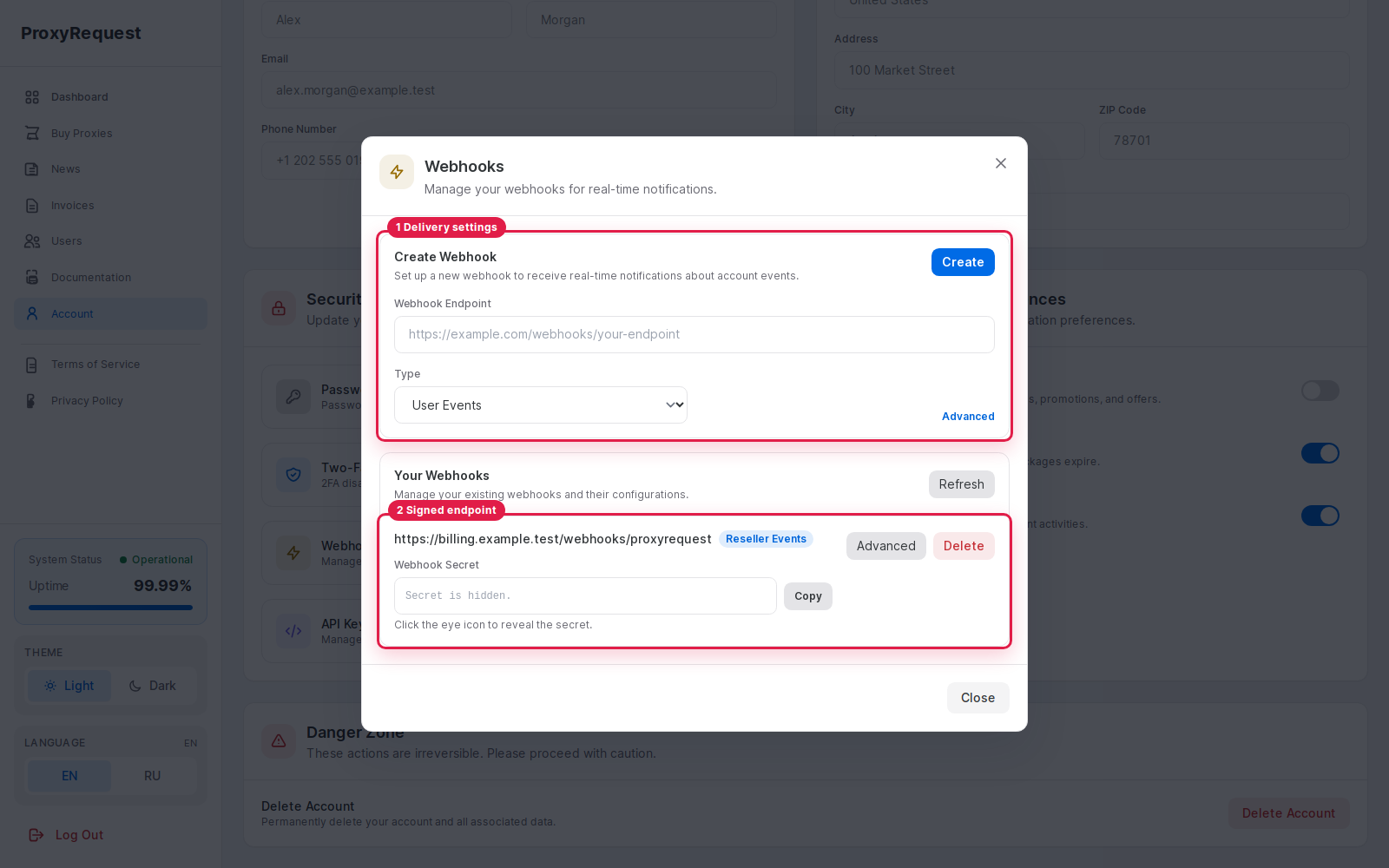
Webhook destinations connect account events to customer-owned automation.
Verify webhook signatures against the exact raw body before parsing it. Persist or enqueue accepted events, return a direct 2xx, and make downstream processing safe for duplicate delivery.
Interactive account
Password and 2FA protect a person signing into the dashboard.
API key
A server-to-server credential belongs in a secret manager, never a browser bundle or proxy username field.
Proxy credential
HTTP/SOCKS credentials authorize gateway traffic, not control-plane API calls.
Webhook secret
A signing secret proves delivery authenticity; it is not a bearer token.
For request headers and API behavior, continue with API fundamentals and webhooks.