Root ledger
Stores total and remaining bytes for the root user/package purchase. Proxy traffic from the root or its children consumes this shared pool.
Customer access is represented by users, orders, and data ledgers. The resources are related but answer different questions: who may connect, which package they may use, and which physical byte pool pays for traffic.
Start with purchases, quotas and ledgers for the customer-facing model. Use the own-billing quickstart to provision independent purchases through the API, or the reseller quickstart for virtual shared-pool quotas. This page focuses on inspecting those resources in the admin.
 Open full size
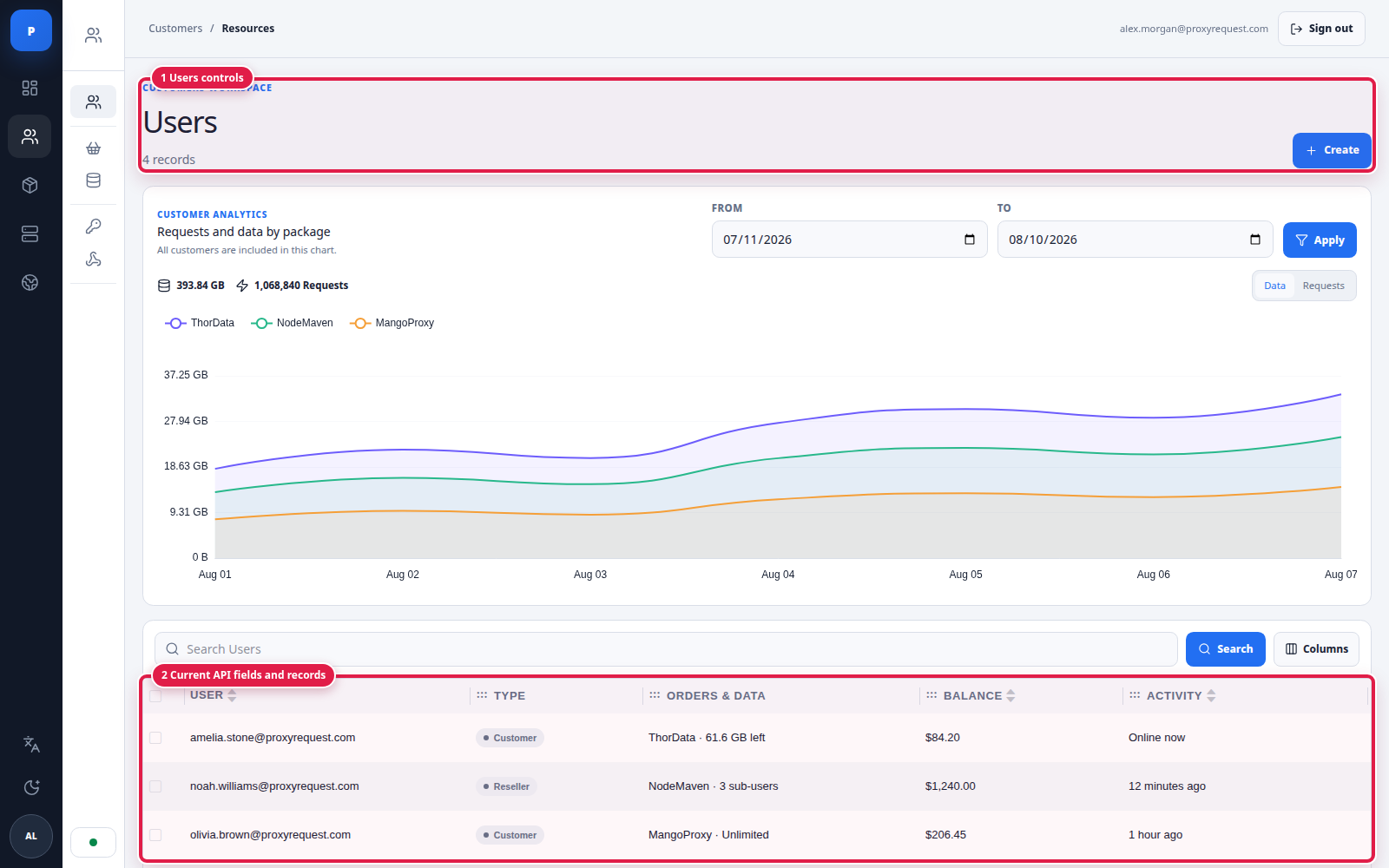
Users can be direct customers or resellers with managed sub-users; the page pairs package analytics with current account records.
Create a user with a unique username and strong password. Email can be omitted in a headless reseller integration when identity is mapped in your own system. Configure account type, connection limit, source-IP allowlist, blocked domains, and package assignment according to the customer’s contract.
An IP allowlist is an additional gateway restriction, not passwordless access. Domain blocklists deny matching destinations; they are separate from provider selection.
When editing a user, preserve the mapping used by your billing or CRM system and change one access control at a time. Re-test authentication after username, password, allowlist, package, reseller relationship, status, or connection-limit changes. Deactivate access before deleting a mapped customer, and retain the order and accounting references required by your policy.
 Open full size
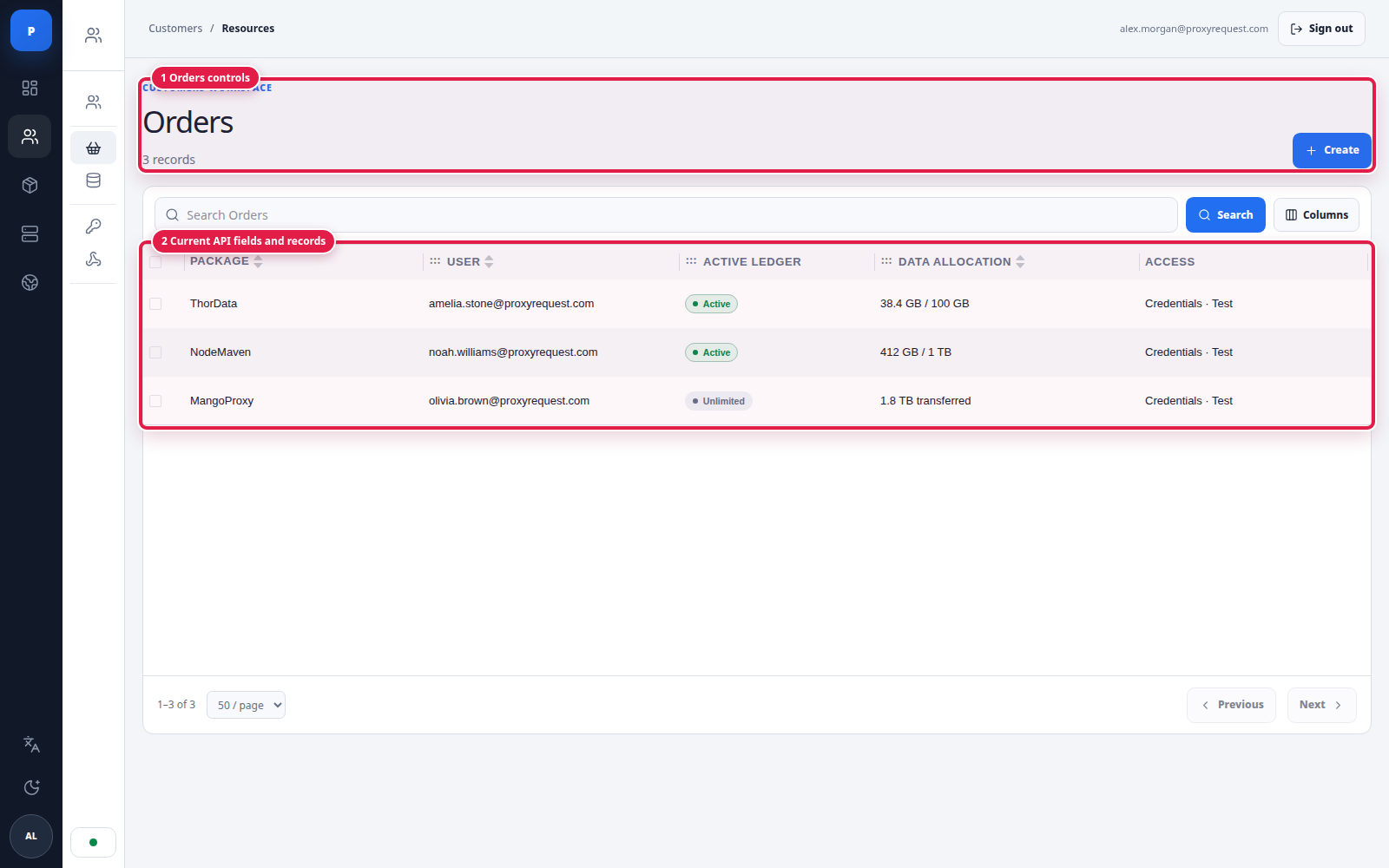
An order is the entitlement that joins one customer to one package, one active ledger, and an access state.
A root order belongs to the main purchaser and owns physical data ledgers. A reseller-created child order belongs to a sub-user and carries that customer’s assigned limit. Both can point at the root order’s current active ledger.
Resetting an order’s proxy password invalidates previously distributed credentials. Coordinate rotation with the customer, avoid logging either password, and test the replacement before closing the support operation.
 Open full size
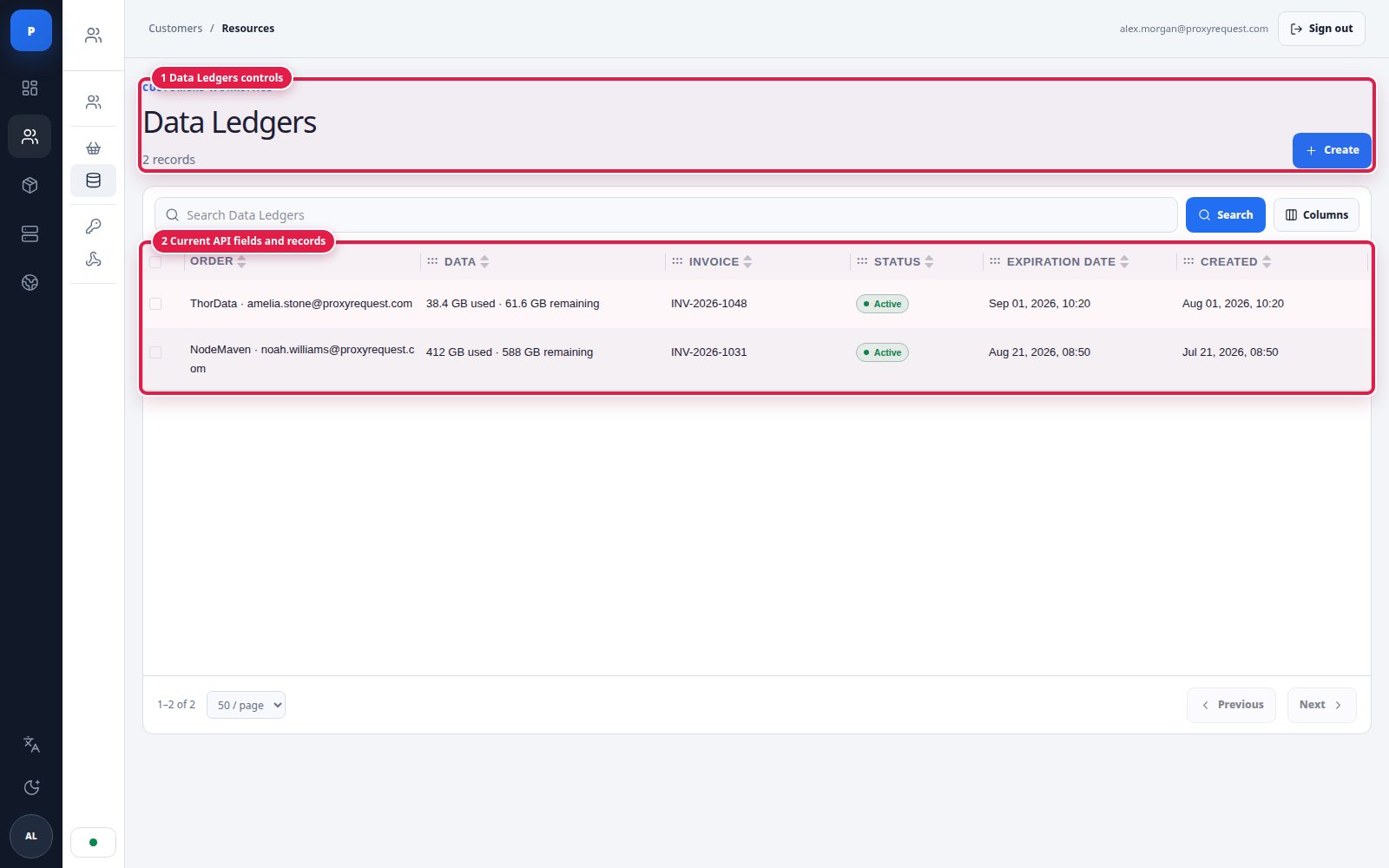
Ledgers are the physical byte pools. Their rows link the order, byte amount, invoice, state, expiration, and creation time.
Root ledger
Stores total and remaining bytes for the root user/package purchase. Proxy traffic from the root or its children consumes this shared pool.
Child allocation
Stores how much one sub-user may spend. Adding data raises the personal limit; it does not reserve or transfer bytes out of the root ledger.
For each metered traffic batch, the active root ledger decreases and the order that actually generated traffic increases its data_spent. Direct parent traffic therefore increments the root order; sub-user traffic increments that child’s order while still decreasing the shared root ledger.
This design permits overcommit: the sum of child limits can exceed physical remaining bytes. Monitor both the root pool and every child balance before promising guaranteed capacity.
Usage arrives in batches, so the final record can cross zero. Treat a small negative remainder as final-batch overdraft evidence, not as a second allocation.
A public package can be purchased through an invoice flow. Invoice creation calculates current package pricing and initializes the selected provider from the configured payment gateways; a hosted checkout link may then be returned. Do not activate service because the browser returned from checkout. Confirm paid invoice state and the resulting order/ledger.
Coupon previews validate a code against package and amount without creating an invoice. Administrative coupon management belongs to authorized commerce staff. Rewards and affiliate balances are separate commercial resources and should be reconciled with your own financial records when used.
Use access and automation for server-to-server provisioning and signed accounting notifications.