Reseller workflows
Reseller accounts receive a customer-management workspace inside the same dashboard. They do not need operator-admin access to create managed users, assign supported products, inspect consumption, or retrieve credentials.
 Open full size
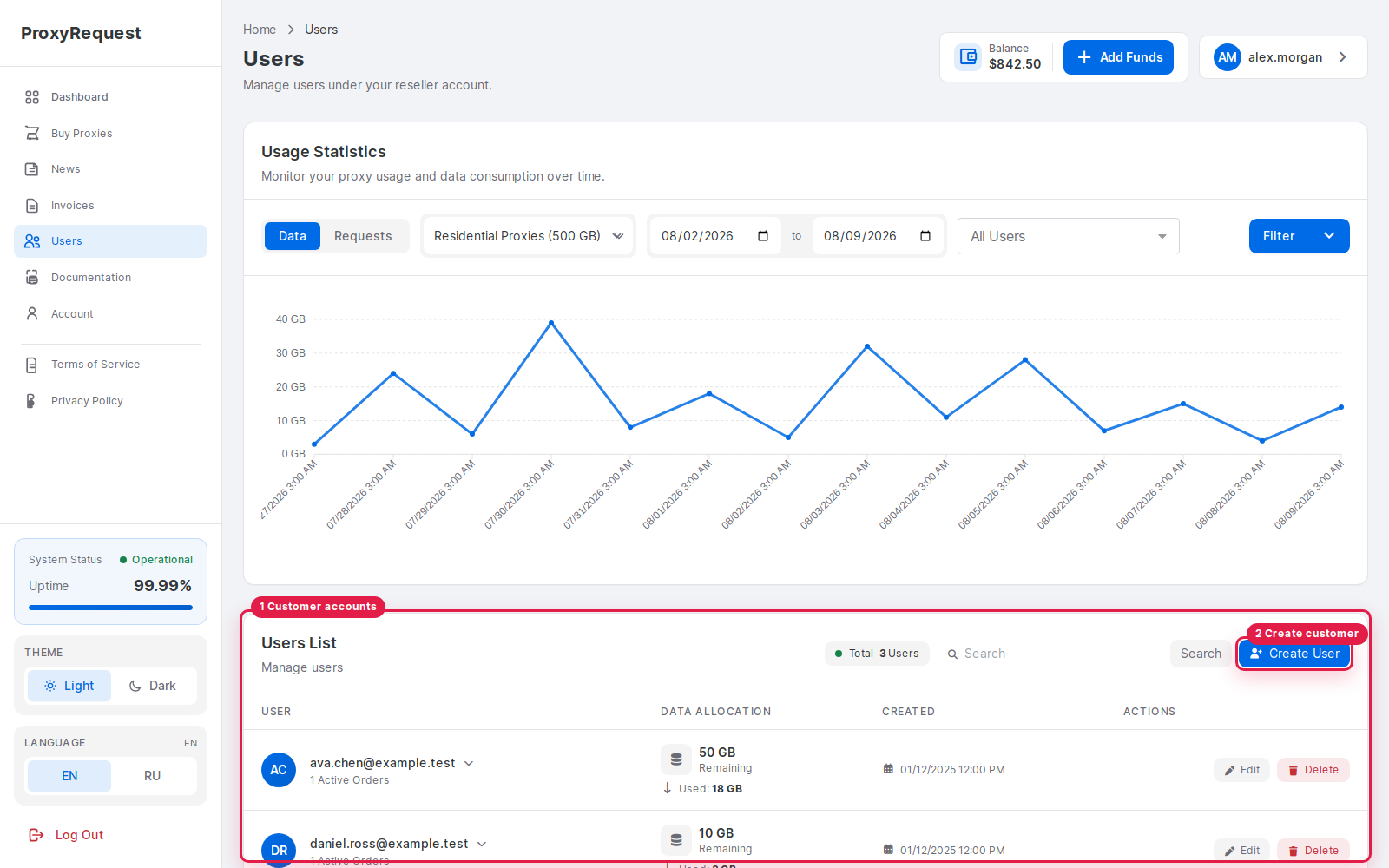
The reseller workspace keeps managed customer records and creation actions together.
- Customer accounts show identity, assigned packages, usage, and status for the reseller scope.
- Create Customer starts a bounded managed-account workflow without operator permissions.
Managed customer sequence
Section titled “Managed customer sequence”- Create the managed customer with a unique identity and the minimum required profile data.
- Set optional source-IP and blocked-domain controls according to the customer’s contract.
- Assign an available package and a customer data limit from the reseller’s eligible root order.
- Verify the new child order, package, active state, allowance, and current usage.
- Deliver the generated credentials through an approved secure channel.
- Review child usage and the shared root balance before adding or promising more data.
 Open full size
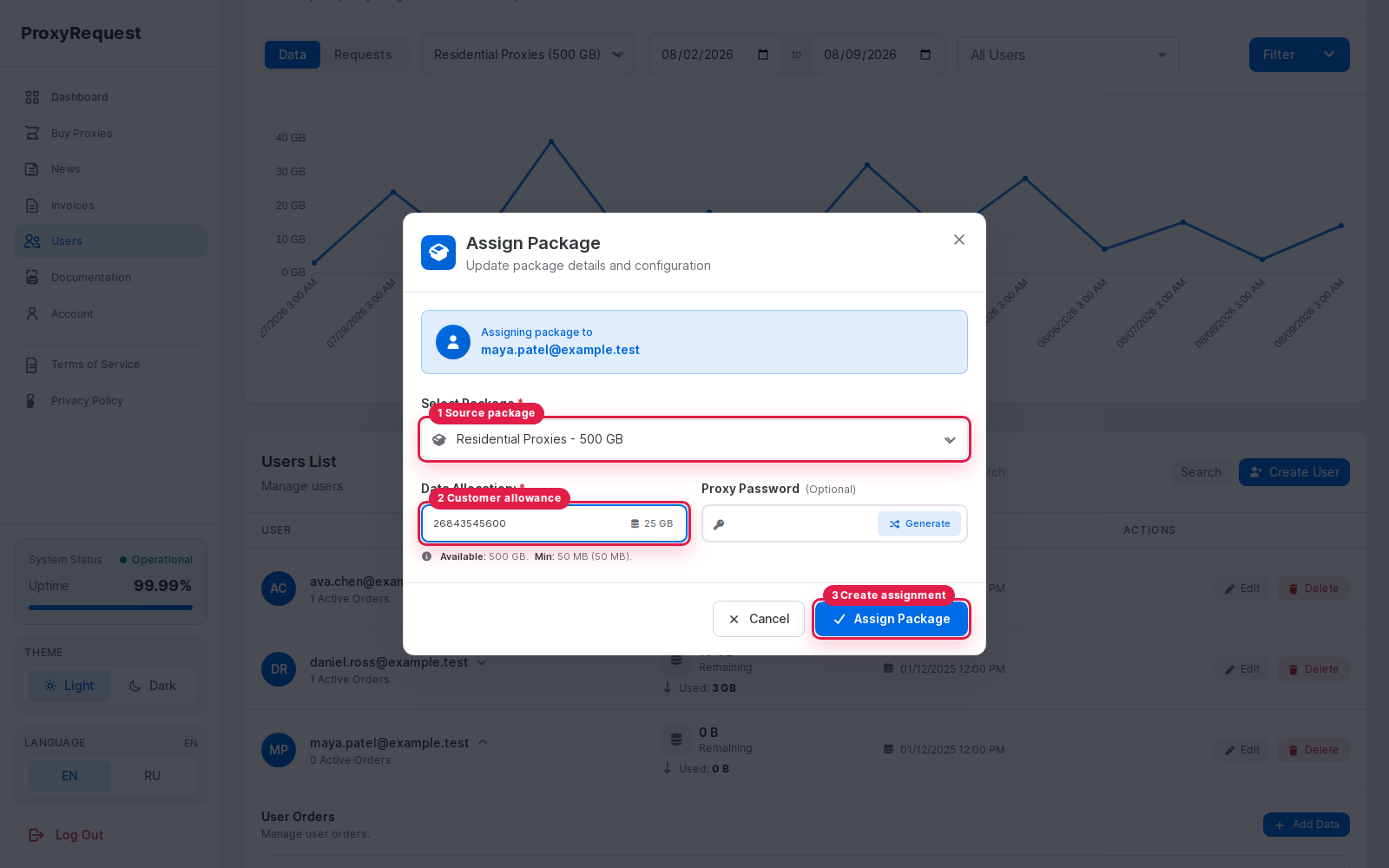
A reseller assigns one of its eligible root packages and a specific customer allowance from the managed-user workspace.
- Select an eligible root package that the reseller already owns.
- Enter the child allowance in an explicit unit such as GB.
- Assign Package creates the customer order after the package and allowance are confirmed.
The package selector only lists root orders that are eligible for the selected customer. The allowance becomes that child order’s consumption limit; it does not create new upstream capacity or reserve the same number of physical bytes from the shared ledger.
 Open full size
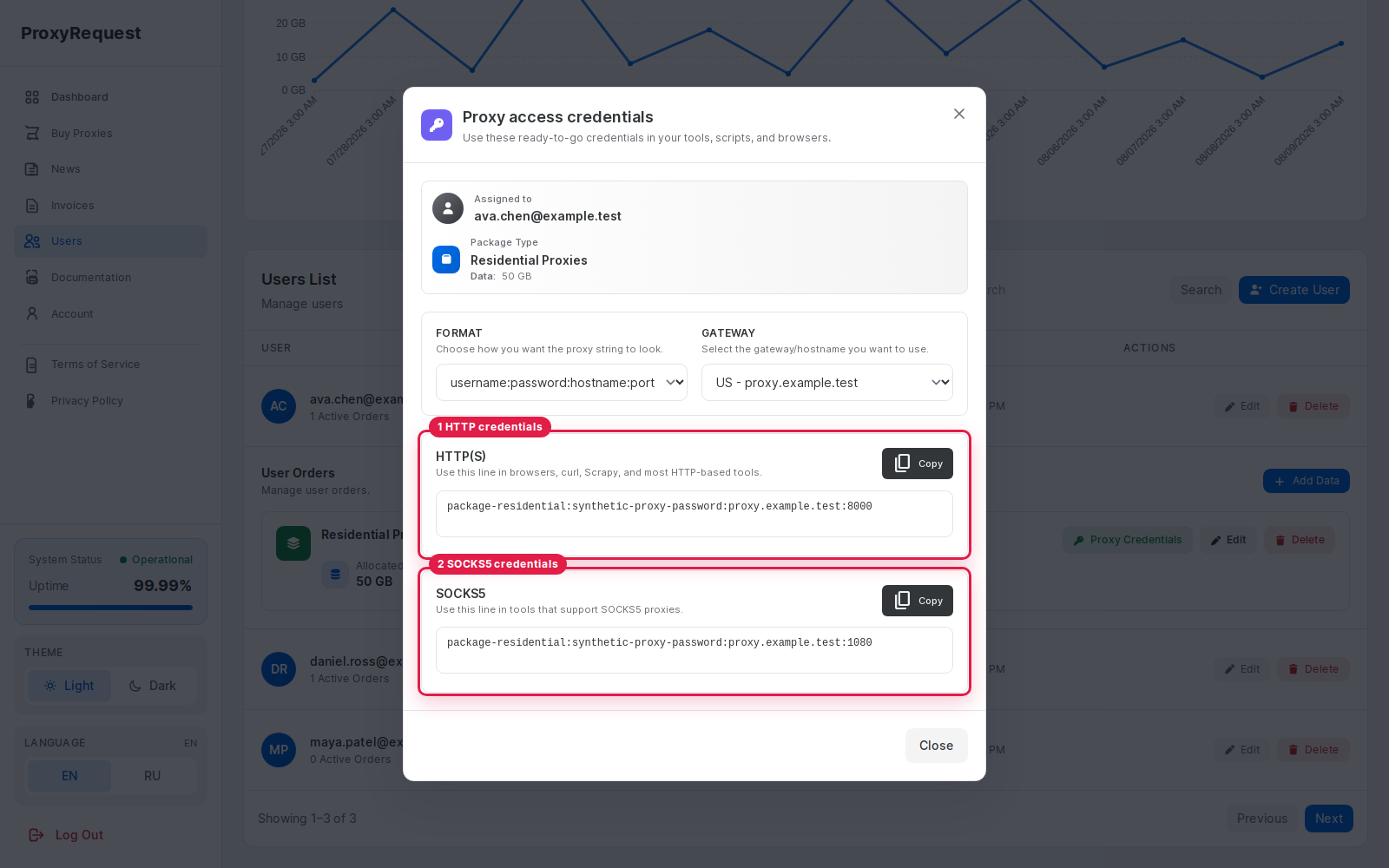
Credentials are generated from the selected customer and package rather than copied from an upstream provider.
- HTTP credentials use the package endpoint and the managed customer identity.
- SOCKS5 credentials remain a separate gateway protocol, not an API credential.
Allocation boundary
Section titled “Allocation boundary”A child allocation is the amount that one managed customer may consume. It does not reserve physical bytes from the reseller’s root ledger. Multiple child limits can exceed the root balance, so resellers must monitor both committed child limits and the remaining shared pool.
Password reset invalidates credentials already delivered to that customer. Coordinate rotation, test the replacement, and avoid putting proxy passwords in support tickets or analytics exports.
For the underlying ledger model, read customers and data accounting. For API-driven reseller operations, use the reseller workflow.